Canopy API vs. Competitors: Feature Comparison
Compare Canopy API's Amazon data features, performance, and pricing vs competitors — REST & GraphQL access, real-time pricing, reviews, sales estimates, and scalability.
Choosing the right Amazon data API is critical for your business intelligence (BI) needs. Canopy API stands out by offering real-time data access, scalability, and integration options for over 350 million Amazon products across 25,000+ categories. It supports REST and GraphQL endpoints, making it flexible for different workflows. Key features include:
- Product Data Retrieval: Access detailed product info like titles, brands, stock levels, and images.
- Pricing Intelligence: Get up-to-date pricing data for dynamic strategies.
- Product Reviews Collection: Gather customer feedback at scale.
- Sales Estimates: Analyze demand trends and plan inventory.
- Search Results Retrieval: Track keyword rankings for better visibility.
Why it matters: Canopy API reduces engineering time, handles high request volumes, and offers cost-effective pricing. Whether you're running small-scale tests or managing enterprise-level BI systems, it adapts to your needs. Below, we’ll explore its features, performance, and pricing in detail.
Quick Comparison
| Feature | Canopy API | Competitors |
|---|---|---|
| Data Coverage | 350M+ products, 25K+ categories | Varies by provider |
| Endpoints | REST, GraphQL | REST, some GraphQL |
| Free Requests | 100/month | Varies |
| Pricing | Starts at $0/month | Varies |
| Daily Cache Hits | 10,000+ | Varies |
| Sales Estimates | Yes | Limited |
Let’s break down how Canopy API performs across features, reliability, and cost.
Canopy API Features and Capabilities
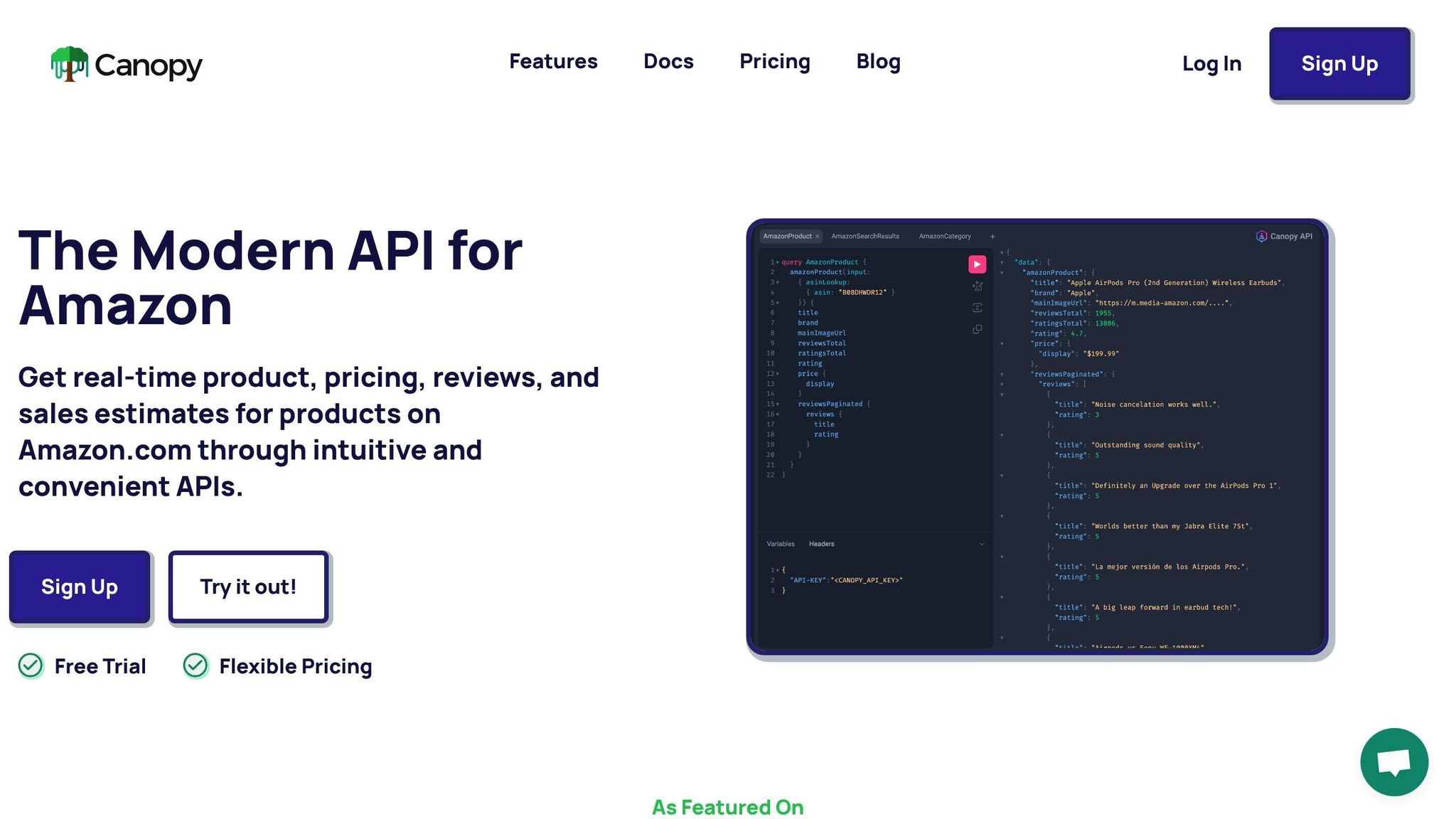
Canopy API provides real-time access to Amazon.com data for over 350 million products across more than 25,000 categories. It supports up to 10,000 daily cache hits and includes 100 free requests per month for users to explore its capabilities.
Core Features and Use Cases
Canopy API is designed to deliver Amazon market intelligence through five main data access features:
- Product Data Retrieval: Gain detailed information about products, including titles, descriptions, brands, images, and stock levels. This is ideal for research and improving product catalogs.
- Pricing Intelligence: Access up-to-the-minute pricing data to enable dynamic pricing strategies and keep an eye on competitors, especially during high-traffic events like Prime Day or Black Friday.
- Product Reviews Collection: Collect customer feedback at scale to uncover product strengths, weaknesses, and potential quality issues, which can guide product development.
- Sales Estimates: Analyze market demand and product performance to forecast demand accurately and plan inventory. Spot trending products before they hit peak popularity.
- Search Results Retrieval: Understand how products rank for specific keywords, aiding in SEO strategies for better visibility on Amazon.
These features are powered by AI-driven processing, which reduces maintenance efforts and integrates seamlessly via both REST and GraphQL APIs.
REST and GraphQL Access Models
Canopy API supports both REST and GraphQL endpoints, offering flexibility depending on your data needs.
- REST API: The REST endpoint (https://rest.canopyapi.co/) uses standard HTTP methods, making it straightforward for retrieving complete data objects. This is ideal for workflows where you need all available information without filtering.
- GraphQL API: The GraphQL endpoint (https://graphql.canopyapi.co/) allows you to request specific fields, eliminating unnecessary data fetching. For instance, if you only need a product's title, price, and rating, GraphQL will deliver just those details. This approach reduces bandwidth usage, speeds up responses, and lowers processing costs, especially for large-scale business intelligence tasks.
Both APIs are user-friendly, with detailed documentation that clearly outlines data fields and query structures.
API Request Examples
Here are simple JavaScript examples to demonstrate how to use the REST and GraphQL endpoints:
Using the REST API
This example retrieves complete product details for a specific ASIN:
const axios = require('axios');

const fetchProductREST = async (asin) => {
  try {
    const response = await axios.get(`https://rest.canopyapi.co/product/${asin}`, {
      headers: {
        'Authorization': 'Bearer YOUR_API_KEY',
        'Content-Type': 'application/json'
      }
    });

    console.log('Product Data:', response.data);
    return response.data;
  } catch (error) {
    console.error('Error fetching product:', error.response?.data || error.message);
  }
};

// Fetch product with ASIN B0D1XD1ZV3
fetchProductREST('B0D1XD1ZV3');
Using the GraphQL API
This example demonstrates how to query specific fields for the same product:
const axios = require('axios');

const fetchProductGraphQL = async (asin) => {
  const query = `
    query {
      amazonProduct(asin: "${asin}") {
        title
        brand
        mainImageUrl
        ratingsTotal
        rating
        price {
          display
        }
      }
    }
  `;

  try {
    const response = await axios.post('https://graphql.canopyapi.co/', { query }, {
      headers: {
        'Authorization': 'Bearer YOUR_API_KEY',
        'Content-Type': 'application/json'
      }
    });

    console.log('Product Data:', response.data.data.amazonProduct);
    return response.data.data.amazonProduct;
  } catch (error) {
    console.error('Error fetching product:', error.response?.data || error.message);
  }
};

// Fetch specific fields for product with ASIN B0D1XD1ZV3
fetchProductGraphQL('B0D1XD1ZV3');
The GraphQL approach is particularly useful for scalable operations, as it minimizes data overhead. For batch operations involving multiple products, you can adapt these examples to handle arrays of ASINs, reducing the number of API calls and optimizing costs.
Both examples use standard JavaScript with axios, but the patterns can be easily applied to other programming languages or frameworks as needed.
Data Coverage and Feature Depth
Canopy API's robust capabilities bring a wealth of data to the table, amplifying the power of business intelligence (BI) insights with its extensive features and wide-ranging data access.
Canopy API offers expansive product coverage, allowing data retrieval from any Amazon category. This broad reach makes it an excellent choice for detailed market research and managing multiple verticals seamlessly.
Product and Catalog Coverage
Each product record includes a wealth of details: title, description, brand, images, ratings, review counts, and stock estimates. Pricing is displayed in U.S. dollars, and measurements adhere to U.S. standards. These detailed records enable you to create comprehensive product catalogs, conduct competitive analyses, and build recommendation engines - all without the need for multiple data sources.
The API's GraphQL endpoint streamlines data queries by letting you request only the fields you need for multiple products in a single call. This reduces both data transfer and processing time, setting the stage for efficient real-time pricing analysis.
Pricing and Offers Data
Canopy API provides real-time pricing data that mirrors the latest Amazon.com listings, ensuring up-to-date information with minimal latency. This feature is invaluable for various BI applications. For instance, manufacturers can monitor how their products are priced by different sellers to detect unauthorized resellers or pricing violations. Meanwhile, financial analysts can integrate pricing trends into demand forecasting models.
Prices follow U.S. conventions - dollar signs before amounts and commas separating thousands (e.g., $1,299.99) - eliminating the need for extra formatting during application development.
Behind the scenes, Canopy API's AI-driven infrastructure handles the complexities of Amazon's frequent price updates. This ensures you always have access to the most current pricing data, making it an essential tool for automated purchasing or repricing systems, without the hassle of maintaining your own scraping solution.
Sales Estimates and Forecasting
Canopy API also delivers sales volume estimates, turning raw data into actionable insights for market analysis. These estimates are invaluable for demand forecasting at both product and category levels. For example, if you're exploring a new product category, you can analyze sales volumes of top products to assess market size and identify opportunities. For existing products, tracking sales over time can uncover seasonal trends, the effects of marketing efforts, and shifts in consumer demand.
This sales data is also a game-changer for inventory planning. By combining sales estimates with current stock levels, businesses can calculate how quickly products are selling and set optimal restocking schedules. On a broader scale, aggregated sales estimates can highlight fast-growing subcategories, guiding strategic decisions on product development and market positioning.
Tracking changes in sales estimates across thousands of products also helps identify sudden demand spikes, pointing to emerging trends.
All these insights - whether related to products, pricing, or sales - are accessible through the same REST and GraphQL endpoints. This allows you to build comprehensive dashboards that provide a complete view of market dynamics. Paired with Canopy API's real-time data delivery and scalability, these features make it a powerful tool for BI applications.
Performance, Reliability, and Scalability
When it comes to business intelligence (BI) systems, speed and dependability are non-negotiable. Slow API responses can clog up dashboards, stall automated pricing systems, and leave users frustrated. That’s where Canopy API steps in, designed to deliver speed, stability, and scalability.
Low Latency and High Throughput
Canopy API is built to deliver real-time data with minimal lag. This is essential for live dashboards that monitor pricing across thousands of products or for automated systems reacting to market shifts in real time.
How does it achieve this? Through smart caching mechanisms. With over 10,000 daily cache hits, frequently accessed data is delivered almost instantly. For flexibility, Canopy offers two endpoints:
- REST Endpoint: Ideal for single-product queries, accessible at https://rest.canopyapi.co/.
- GraphQL Endpoint: Perfect for batch queries, allowing you to retrieve multiple products in one go at https://graphql.canopyapi.co/.
Here’s an example of using GraphQL to fetch multiple products efficiently:
const query = `
  query GetMultipleProducts {
    product1: product(asin: "B08N5WRWNW") {
      title
      price
      rating
    }
    product2: product(asin: "B09G9FPHY6") {
      title
      price
      rating
    }
    product3: product(asin: "B0BDJ6CXKG") {
      title
      price
      rating
    }
  }
`;

const response = await fetch('https://graphql.canopyapi.co/', {
  method: 'POST',
  headers: {
    'Content-Type': 'application/json',
    'Authorization': 'Bearer YOUR_API_KEY'
  },
  body: JSON.stringify({ query })
});

const data = await response.json();
This single request pulls data for three products simultaneously, cutting down on network overhead. It ensures that even during peak usage, your dashboards remain snappy and responsive.
Reliability and Uptime
In BI workflows, downtime isn’t just inconvenient - it can disrupt entire operations. Pricing monitors, inventory forecasts, and other tools rely on uninterrupted data access. Canopy API mitigates these risks with caching, which ensures stability even during traffic spikes. Cached responses keep the system running smoothly, even when thousands of users query similar data.
The platform also scales automatically to meet demand. Whether you’re making 100 requests a day or 100,000, performance remains consistent. For enterprise users, custom pricing and dedicated support ensure that even high-volume operations run without a hitch. This reliability is especially critical for automated systems that need to function continuously without human intervention.
Scalability for Business Intelligence Workloads
BI workloads can range from quick competitive checks on a few products to analyzing entire categories for market trends. Canopy API is designed to handle this variability, offering a flexible pricing model that grows with your needs.
As Canopy API puts it:
Our service scales with you. The cost of each request to our API drops as your usage increases.
Volume discounts start at 10,000 and 100,000 requests, making large-scale data extraction more affordable. With coverage spanning a wide range of Amazon products, the API supports deep market analyses with ease.
For batch processing tasks typical in BI workflows, REST requests can be structured for efficiency:
const asins = ['B08N5WRWNW', 'B09G9FPHY6', 'B0BDJ6CXKG', 'B08L5VFJ2L'];
const products = [];

for (const asin of asins) {
  const response = await fetch(`https://rest.canopyapi.co/product/${asin}`, {
    headers: {
      'Authorization': 'Bearer YOUR_API_KEY'
    }
  });

  const product = await response.json();
  products.push(product);

  // Throttle requests to prevent overload
  await new Promise(resolve => setTimeout(resolve, 100));
}

console.log(`Retrieved ${products.length} products for analysis`);
For businesses managing large-scale data extraction, Canopy’s Premium tier starts at $400 per month. This includes 100,000 requests, with additional requests priced at just $0.004 each. Whether you’re running nightly ETL jobs or conducting on-the-fly market research, this pricing model keeps costs predictable and manageable.
With its combination of high throughput, automatic scaling, and cost-effective pricing, Canopy API ensures your BI infrastructure can grow alongside your business.
sbb-itb-d082ab0
Integration and Developer Experience
Once Canopy API's performance and scalability are established, its seamless integration process becomes a major asset for BI teams. Quick and easy integration is crucial, and Canopy API ensures you can get up and running in no time.
API Design and Documentation
Canopy API's documentation is crafted to make developers productive from the start. The integration process is broken into four simple steps: Sign Up, Grab your API key, Integrate, and Keep Going. It's designed to be as straightforward as possible.
Each endpoint comes with detailed references and schema definitions. Additionally, the GraphQL playground at https://graphql.canopyapi.co/ lets you test queries interactively. For instance, here’s how you can fetch product details:
const query = `
  query GetProductDetails {
    amazonProduct(asin: "B0D1XD1ZV3") {
      title
      brand
      imageUrl
      rating
      price
    }
  }
`;

const response = await fetch('https://graphql.canopyapi.co/', {
  method: 'POST',
  headers: {
    'Content-Type': 'application/json',
    'Authorization': 'Bearer YOUR_API_KEY'
  },
  body: JSON.stringify({ query })
});

const productData = await response.json();
console.log(productData);
This example demonstrates one of GraphQL's strengths: you specify exactly what data you need, eliminating unnecessary fields. This not only reduces bandwidth usage but also improves response times.
For single-product lookups, the REST endpoint at https://rest.canopyapi.co/ is optimized for simplicity and ease of use. The documentation includes open-source examples ranging from basic queries to more complex ETL workflows.
As Canopy API emphasizes:
Integrate in minutes using our detailed documentation and open-source examples.
Support for Modern Development Frameworks
Canopy API complements its performance with an integration experience tailored for modern development. It fully supports JavaScript and TypeScript, making it a natural fit for BI stacks. Whether you're working with serverless functions on AWS Lambda, running ETL tasks with Node.js, or connecting to platforms like Tableau or Power BI, the API integrates seamlessly.
Both REST and GraphQL models are intuitive, minimizing the time spent on documentation and letting developers focus on building. For automated pipelines, the API's design supports batch processing and scheduled jobs. Here's an example of setting up an ETL task to retrieve product pricing:
const fetchPricingData = async (asinList) => {
  const pricingData = [];

  for (const asin of asinList) {
    const response = await fetch(`https://rest.canopyapi.co/product/${asin}`, {
      headers: {
        'Authorization': 'Bearer YOUR_API_KEY'
      }
    });

    const product = await response.json();
    pricingData.push({
      asin: product.asin,
      title: product.title,
      price: product.price,
      timestamp: new Date().toISOString()
    });

    // Rate limiting to stay within API limits
    await new Promise(resolve => setTimeout(resolve, 200));
  }

  return pricingData;
};

// Example usage
const asins = ['B08N5WRWNW', 'B09G9FPHY6', 'B0BDJ6CXKG'];
const data = await fetchPricingData(asins);
console.log(`Collected pricing for ${data.length} products`);
This kind of workflow is common in BI settings, where data is regularly pulled to update dashboards or analytics tools. Canopy API's structure makes these processes easier, complementing its strong performance and cost-effectiveness.
Security and Authentication
Canopy API employs a simple yet secure authentication method using API keys, which are provided immediately upon login. There’s no need to navigate complex OAuth flows or token exchanges - just grab your key and start making requests.
Despite its simplicity, this method ensures security. API keys are transmitted over HTTPS, keeping credentials safe during transit. For teams managing multiple keys across different environments, the dashboard provides clear visibility into active keys and their usage.
Here’s an example of how authentication works with a REST request:
const getProductData = async (asin) => {
  const response = await fetch(`https://rest.canopyapi.co/product/${asin}`, {
    headers: {
      'Authorization': 'Bearer YOUR_API_KEY',
      'Content-Type': 'application/json'
    }
  });

  if (!response.ok) {
    throw new Error(`API request failed: ${response.status}`);
  }

  return await response.json();
};

// Usage
try {
  const product = await getProductData('B08N5WRWNW');
  console.log(`Product: ${product.title}, Price: ${product.price}`);
} catch (error) {
  console.error('Failed to fetch product:', error.message);
}
This straightforward authentication model aligns with Canopy API's goal of quick integration and secure data access. For BI teams working with sensitive information or competitive insights, this balance of simplicity and security is essential.
Pricing Models and Cost Efficiency
Canopy API combines its high performance with a pricing structure that scales to meet your business intelligence (BI) needs. Its usage-based pricing adjusts seamlessly, whether you're in the testing phase or operating at an enterprise level.
Pricing Tiers
Canopy API offers four distinct pricing options tailored to different business stages and data requirements:
- Hobby Tier: Free of charge, this tier includes 100 monthly requests and email support. It's ideal for developers testing the API, working on small side projects, or conducting proof-of-concept experiments.
- Pay As You Go Tier: Starting at $0 per month, this tier includes 100 free requests, with additional requests costing $0.01 each. Volume discounts apply automatically, making it a good fit for businesses with variable data needs. Billing is based on actual usage, so you only pay for what you use.
- Premium Tier: Priced at $400 per month, this tier includes 100,000 requests, with extra requests costing $0.004 each - a 60% reduction compared to the Pay As You Go rate. It also offers premium phone support, perfect for businesses running production workloads. If you're processing more than 40,000 requests monthly, this tier becomes the more economical choice.
- Custom Enterprise Tier: Designed for organizations with very high data volumes or specialized requirements, this tier provides customized pricing and dedicated support. It's tailored to meet specific needs that go beyond standard offerings.
| Pricing Tier | Monthly Cost | Included Requests | Cost per Additional Request | Support Level | Best For |
|---|---|---|---|---|---|
| Hobby | Free | 100 | N/A | Testing, side projects, light BI | |
| Pay As You Go | $0+ | 100 | $0.01 | Growing projects, variable usage | |
| Premium | $400+ | 100,000 | $0.004 | Premium Phone | Consistent high-volume BI |
| Custom Enterprise | Contact | Negotiable | Negotiable | Dedicated | Very high volume, custom requirements |
Cost Modeling for Business Intelligence Use Cases
To better understand how these tiers align with real-world scenarios, let's look at three common BI usage patterns:
- Light BI Workload: Imagine tracking 500 products daily for pricing updates. This translates to about 15,000 requests per month (500 products × 30 days). On the Pay As You Go tier, you'd pay $149 monthly after the 100 free requests ($0.01 × 14,900 additional requests). This setup works well for small e-commerce businesses or niche analysts monitoring specific categories.
- Medium BI Workload: A retailer might pull data for 2,000 products twice daily and run weekly keyword searches across 50 terms, totaling approximately 126,000 requests per month. With the Premium tier, you'd pay $400 for the included 100,000 requests and $104 for the additional 26,000 requests ($0.004 × 26,000), for a total of $504 monthly. Attempting this on Pay As You Go would cost $1,259, making Premium the clear winner.
- Heavy BI Workload: A large marketplace or analytics platform could generate 500,000 requests monthly, tracking thousands of products and running extensive analyses. On the Premium tier, you'd pay $400 for the first 100,000 requests and $1,600 for the remaining 400,000 ($0.004 × 400,000), totaling $2,000. At this scale, the Custom Enterprise tier becomes worth exploring for potentially lower per-request costs.
This flexible pricing ensures you avoid paying for unused capacity, while automatic volume discounts and lower per-request costs at higher tiers help keep scaling costs predictable.
Long-Term Cost Benefits
Canopy API's pricing model delivers more than just immediate cost savings - it also reduces long-term operational expenses. By eliminating the need for infrastructure management, proxy handling, rate limit monitoring, and ongoing maintenance, businesses can save thousands of dollars each month.
The tiered structure is especially helpful for businesses with seasonal fluctuations. For instance, during peak seasons like the holidays, you can increase data collection without renegotiating contracts or overcommitting. On the Pay As You Go tier, your costs adjust automatically based on usage, giving you flexibility without financial surprises.
As your business grows, the decreasing per-request costs create a predictable expense trajectory. Starting at $0.01 per request on Pay As You Go and transitioning to $0.004 per request on Premium means a 60% reduction in marginal costs. For businesses scaling from 50,000 to 200,000 requests monthly, this pricing structure ensures costs grow more slowly than usage, improving overall efficiency.
Here's a simple cost calculator to visualize how costs scale across different usage levels:
// Cost calculator for different usage scenarios
const calculateMonthlyCost = (requests) => {
  const hobbyLimit = 100;
  const premiumIncluded = 100000;
  const premiumBaseCost = 400;
  const payAsYouGoRate = 0.01;
  const premiumRate = 0.004;

  if (requests <= hobbyLimit) {
    return { tier: 'Hobby', cost: 0 };
  }

  // Calculate Pay As You Go cost
  const payAsYouGoCost = (requests - hobbyLimit) * payAsYouGoRate;

  // Calculate Premium cost
  let premiumCost = premiumBaseCost;
  if (requests > premiumIncluded) {
    premiumCost += (requests - premiumIncluded) * premiumRate;
  }

  // Return the more cost-effective option
  if (payAsYouGoCost < premiumCost) {
    return { tier: 'Pay As You Go', cost: payAsYouGoCost };
  } else {
    return { tier: 'Premium', cost: premiumCost, savings: payAsYouGoCost - premiumCost };
  }
};

// Example usage scenarios
const scenarios = [5000, 25000, 75000, 150000];
scenarios.forEach(requests => {
  const result = calculateMonthlyCost(requests);
  console.log(`${requests.toLocaleString('en-US')} requests/month: ${result.tier} - $${result.cost.toFixed(2)}`);
  if (result.savings) {
    console.log(`  Saves $${result.savings.toFixed(2)} vs. Pay As You Go`);
  }
});
This tool helps you identify break-even points and estimate costs as your data needs evolve. With predictable pricing, automatic scaling, and reduced operational overhead, Canopy API provides a cost-effective solution for businesses looking to streamline their BI processes.
Conclusion
Canopy API delivers real-time Amazon data without the hassle of building and maintaining custom scrapers. With both REST and GraphQL endpoints, backed by AI-driven processing, it provides access to over 350 million products and 25,000+ categories, offering flexibility and scalability for a wide range of use cases.
The platform is designed to grow with your business. Whether you're just exploring with 100 free requests on the Hobby tier or handling hundreds of thousands of requests monthly on the Premium plan, the pricing adjusts to fit your needs. Plus, automatic volume discounts lower the cost per request from $0.01 to $0.004, making it cost-effective as you scale.
Developers can integrate the API quickly, thanks to its detailed documentation, open-source examples, and user-friendly design. By removing the burden of ongoing maintenance, Canopy API lets you focus on building features that matter most to your business.
For business intelligence tasks, the API's extensive data coverage, quick response times, and predictable pricing provide a reliable backbone. Whether you're monitoring competitor pricing, analyzing market trends, or creating recommendation systems, Canopy API equips you with the data infrastructure you need - without the operational headaches.
Get started today with 100 free requests by signing up at https://canopyapi.co. Access the GraphQL endpoint at https://graphql.canopyapi.co/ or the REST endpoint at https://rest.canopyapi.co/ to power your BI applications effortlessly.
FAQs
How does Canopy API deliver accurate and up-to-date Amazon data?
Canopy API offers real-time access to Amazon.com data, covering everything from product details and pricing to reviews and sales estimates. This ensures you always have accurate, up-to-date information at your fingertips.
Designed with a solid infrastructure and modern architecture, the API delivers data quickly and reliably. It’s built to scale and fits smoothly into your existing workflows, providing consistent performance you can count on.
What are the advantages of using GraphQL instead of REST with Canopy API for business intelligence?
Using GraphQL with the Canopy API brings a host of benefits to business intelligence applications. One standout feature is its ability to fetch exactly the data you need in a single query. This eliminates the hassle of over-fetching or under-fetching data, which is especially useful when handling large datasets like product details or sales projections. The result? Improved performance and greater efficiency.
What’s more, GraphQL’s adaptable query structure makes it simple to adjust to evolving business needs. You can easily add or tweak data fields without disrupting existing queries. When paired with the Canopy API’s real-time Amazon data and AI-driven insights, GraphQL becomes a powerful tool for crafting scalable and dynamic BI solutions.
How does Canopy API's pricing adapt to businesses with changing data needs?
Canopy API offers a Pay As You Go pricing structure, perfect for businesses with changing data needs. Each month, you get 100 free requests, and after that, it's just $0.01 per request.
If you're handling larger volumes, Canopy API provides discounted rates at thresholds of 10,000 and 100,000 requests per month, making it easier to grow without overspending.