Competitor Benchmarking with Amazon Data APIs
Real-time product data turns pricing, reviews, stock and search signals into clear competitor benchmarks for smarter selling decisions.

Selling on Amazon is tough. With over 350 million products across 25,000+ categories, standing out requires more than just a good product. You need data - real-time insights on competitors' pricing, sales, reviews, and search rankings - to make smarter decisions.
Amazon Data APIs simplify this process. They provide automated, real-time access to essential competitor data, saving time and ensuring accuracy. Tools like the Canopy API allow you to track key metrics like pricing trends, stock levels, and customer feedback effortlessly.
Key Takeaways:
- Why APIs Matter: Automate competitor tracking without manual scraping or spreadsheets.
- What to Measure: Prices, sales estimates, stock availability, customer reviews, and search visibility.
- How to Start: Use APIs like Canopy to fetch competitor data by keywords or ASINs, map metrics to business goals, and track trends over time.
By automating competitor analysis, you can stay ahead in a crowded Amazon marketplace. Let the data work for you.
Planning Your Competitor Benchmarking Strategy
Before jumping into API calls and gathering data, it’s crucial to have a clear plan in place. Without one, you risk being overwhelmed by an avalanche of information. A solid benchmarking strategy begins with defining your business goals and identifying measurable key metrics - this approach ensures your API usage is both efficient and effective.
Defining Business Goals and Key Metrics
Your benchmarking efforts should align with your business objectives. Whether you’re aiming for competitive pricing, better product quality, or a bigger share of the market, each goal requires its own set of metrics.
Take competitive pricing, for example. If your focus is on pricing your products competitively, you’ll need to track metrics like average competitor prices, price ranges within your category, and the frequency of pricing adjustments. With Canopy API’s real-time pricing data, you can monitor these changes as they happen and quickly adapt to market trends.
Similarly, sales velocity is an essential metric for understanding how quickly competitors are moving inventory. This data helps you identify demand patterns and market opportunities. By using the API to track sales estimates, you can establish KPIs like "daily competitor sales volume" or "market share based on sales estimates." These insights reveal which products are thriving and which are losing ground.
Stock availability is another important area to monitor. Competitors who frequently run out of stock create opportunities for you to attract their customers. By tracking stock levels and inventory turnover rates through the API, you can set KPIs that highlight when competitors are struggling. For instance, if a major player consistently shows low stock, it could indicate supply chain issues or unexpected demand spikes.
When it comes to product quality and customer satisfaction, the focus shifts to metrics like average ratings, total reviews, and review sentiment. A product with 4.8 stars and 5,000 reviews sends a much stronger signal than one with 4.2 stars and 200 reviews. Canopy API’s review data allows you to dig into customer feedback, uncovering strengths to replicate and weaknesses to capitalize on.
Lastly, search visibility is critical for ensuring customers find your products. KPIs like "competitor search position for key terms" or "share of voice in search results" let you measure how visible your competitors are. If your rankings consistently fall below theirs for critical keywords, it’s a clear sign that your optimization efforts need attention.
Identifying Competitors and Target Data
Once your goals are set, the next step is identifying the competitors you’ll monitor and the specific data you’ll track. It’s not about watching everyone - it’s about focusing on the right players.
Start by running a keyword search using Canopy API’s Search endpoint. For example, if you sell wireless headphones, search terms like "bluetooth headphones", "noise canceling earbuds", or "wireless earphones" will reveal the top-ranking products for those keywords. These are your direct competitors.
Pay special attention to category leaders and direct competitors. Category leaders set the bar for pricing, features, and customer expectations, while direct competitors - those with similar features, prices, and target audiences - pose the most immediate challenge. To gather detailed data, you’ll need their ASINs (Amazon Standard Identification Numbers), which serve as unique product identifiers.
Don’t forget about emerging competitors. Products that are rapidly climbing search rankings or accumulating reviews may be gaining traction. Spotting these trends early gives you the chance to adjust your strategy before they become significant threats.
With your competitors identified, map out the data points you’ll need to track for each one. This ensures your efforts are focused and actionable.
Mapping KPIs to API Data Fields
The final planning step is linking your KPIs to the specific data fields available through the API. This mapping ensures you know exactly which API endpoints to call and what information to extract, creating a clear framework for benchmarking.
For pricing KPIs, the Product Data endpoint’s price field provides the current listing price in dollars. By storing these values over time, you can track trends like "average price over 30 days" or "number of price changes per month."
Sales velocity KPIs rely on the sales estimations field. While Amazon doesn’t share exact sales numbers, the API offers estimates based on various signals. Use this data to calculate market share or identify products with accelerating sales growth.
Stock availability KPIs come from the stock estimations field, which shows whether a product is in stock, low stock, or out of stock. Tracking this data over time can reveal patterns, like whether a competitor consistently runs out of stock on weekends - valuable intel for your strategy.
For customer satisfaction KPIs, you’ll need multiple fields. The rating field provides the average star rating, while ratingsTotal shows the number of customer ratings. To go deeper, use the Product Reviews endpoint to analyze individual reviews for sentiment, recurring issues, or standout features.
Search visibility KPIs are tied to the Search endpoint. When you query a keyword, the API returns products in ranked order. By monitoring where specific ASINs appear over time, you can measure changes in visibility and identify which competitors are climbing the rankings.
Be precise when mapping KPIs to API fields. Instead of a vague goal like "monitor competitor prices", aim for something specific: "Track the price field for ASINs X, Y, and Z daily, calculate the average competitor price, and notify me if any competitor drops below $29.99." This level of detail ensures your benchmarking delivers actionable insights rather than an overwhelming amount of data.
Collecting Competitor Data with Amazon APIs
Once your benchmarking strategy is in place, the next step is to start collecting the actual data. This process involves two key steps: identifying the products you want to track and then gathering detailed information about them. With a clear understanding of how to use the API endpoints, both tasks become manageable. Armed with your competitor list, you can dive into extracting valuable metrics through targeted API calls.
Finding Competitors Using Search Endpoints
The Search endpoint is your go-to tool for identifying competitor products. By providing keywords or category terms, the API returns a ranked list of products that show up in Amazon search results for those terms.
For instance, to use the Search endpoint, you send a request to https://rest.canopyapi.co/api/amazon/search with your target keyword. If you’re selling wireless earbuds, you might search for terms like "bluetooth earbuds" or "noise canceling headphones." The API responds with a ranked list of products based on their appearance in Amazon's search results, giving you a clear view of the top-performing competitors for your chosen keywords.
Each search result includes the product's ASIN (Amazon Standard Identification Number), a unique identifier essential for deeper analysis. Along with the ASIN, you’ll receive basic details like the product title, price, rating, and total number of reviews. This quick snapshot helps you understand the competitive landscape at a glance.
Pay attention to the ranking positions. Products that consistently appear in the top five results across multiple relevant keywords are likely your main competitors. These are the ASINs you’ll want to prioritize for ongoing tracking and analysis.
The Search endpoint also allows you to filter results by category, which is especially useful for narrowing down your focus. For example, if you’re interested specifically in "Over-Ear Headphones" rather than all headphone types, category filtering ensures you’re only looking at relevant products. This helps you avoid wasting API requests on items that don’t align with your competitive analysis.
Once you’ve run searches for your key terms, compile a list of ASINs that represent your competitive set. Depending on your market, this list could include anywhere from 10 to 50 competitor products - enough to give you a comprehensive view without overwhelming you with data.
Retrieving Detailed Competitor Information
After identifying your key competitors through the Search endpoint, the next step is to gather detailed product insights. This is where you move from a broad overview to actionable intelligence by diving into specific metrics.
To retrieve detailed product data, make a GET request to https://rest.canopyapi.co/api/amazon/product with the ASIN as a parameter. The response provides a wealth of information, including fields like title, description, brand, mainImageUrl, price, rating, ratingsTotal, salesEstimations, and stockEstimations. These data points directly tie back to the KPIs you’ve outlined in your strategy.
For example, the price field shows the current listing price in dollars (e.g., "$29.99"). By tracking these prices daily, you can spot trends or strategic adjustments. If a competitor consistently drops their price by 15% on Fridays, you can use that insight to time your own promotions effectively.
Sales estimations offer a glimpse into how quickly competitors are moving inventory. While Amazon doesn’t share exact sales figures, Canopy API calculates estimates based on marketplace signals. A sudden spike in a competitor’s sales estimates could indicate a successful campaign or seasonal demand.
Stock estimations reveal inventory levels, showing whether a product is in stock, running low, or sold out. Monitoring this over time can uncover supply chain weaknesses. For example, a competitor frequently showing "low stock" creates an opportunity for you to capture their customers.
For customer satisfaction metrics, the rating and ratingsTotal fields provide the average star rating and the total number of ratings. A product with 4.7 stars and 8,000 reviews carries much more social proof than one with 4.5 stars and 500 reviews. These insights help you gauge customer sentiment and determine the quality benchmarks you need to meet - or exceed.
If you want to dig deeper into customer feedback, the Product Reviews endpoint allows you to collect individual reviews. These reviews can be analyzed for recurring themes, common complaints, or standout features. For instance, if multiple reviews mention poor battery life for a competitor’s product, you can address that weakness in your own product strategy.
Canopy API offers access to over 350 million Amazon products across more than 25,000 categories, ensuring you have the data you need, whether you’re in electronics, home goods, beauty, or another industry.
Canopy API Endpoints for Benchmarking
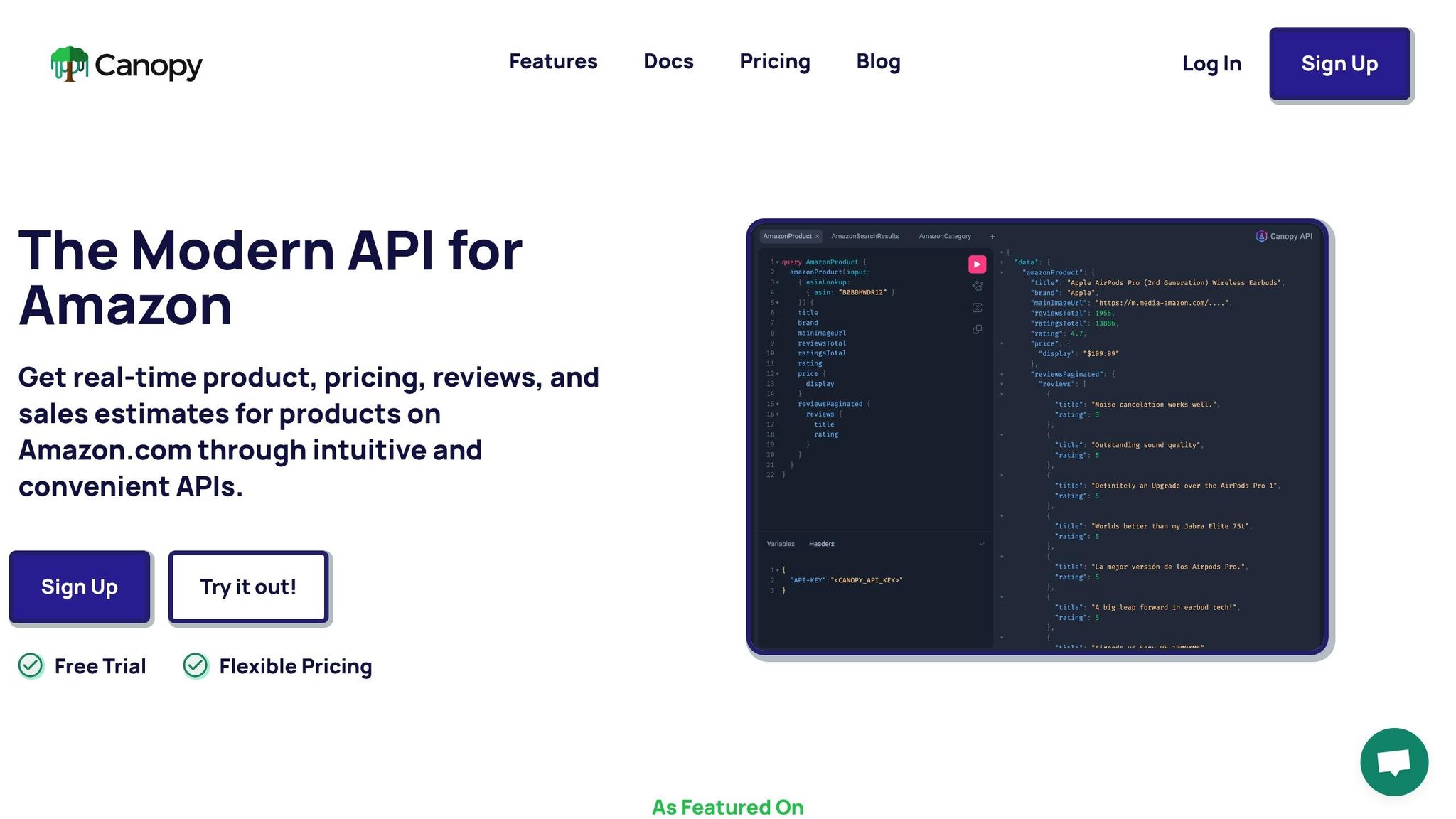
Knowing which API endpoints to use for specific tasks ensures efficient data collection without unnecessary complexity. Canopy API provides both REST and GraphQL interfaces, giving you flexibility depending on your technical needs.
The Search endpoint (https://rest.canopyapi.co/api/amazon/search) is ideal for building your initial competitor list and monitoring changes in search rankings. The endpoint returns products in ranked order, making it easy to track shifts in visibility over time.
The Product Data endpoint is your main tool for detailed product insights. With REST, you’ll use https://rest.canopyapi.co/api/amazon/product for GET requests. If you prefer GraphQL, you can send POST requests to https://graphql.canopyapi.co/, specifying the fields you need. GraphQL is especially useful when you want to minimize bandwidth by requesting only the necessary data in a single query.
Here’s an example of a GraphQL query for product details:
query {
  amazonProduct(input: { asinLookup: { asin: "B0D1XD1ZV3" } }) {
    title
    brand
    mainImageUrl
    ratingsTotal
    rating
    price {
      display
    }
    salesEstimations {
      estimated30DaySales
    }
    stockEstimations {
      status
    }
  }
}
This query retrieves the product title, brand, image, ratings, price, sales estimates, and stock status in one go. The GraphQL approach is particularly efficient when pulling data for multiple ASINs.
The Product Reviews endpoint adds qualitative insights to your analysis by providing access to customer reviews. This helps you uncover pain points, recurring complaints, or standout features that raw numbers can’t reveal.
All API requests require authentication via an API key, which you include in an API-KEY header or as Authorization: Bearer YOUR_API_KEY. You can get your API key by signing up at canopyapi.co. The free Hobby plan includes 100 requests per month, which is perfect for initial testing. For larger needs, the Pay As You Go plan starts at $0 per month with 100 free requests, then $0.01 per additional request, making it easy to scale as your requirements grow.
Implementing API Calls in JavaScript
Once you've aligned your KPIs with API fields, the next step is to execute your plans by making tailored JavaScript API calls. JavaScript offers simple methods for interacting with APIs, whether you're using REST or GraphQL.
Using the REST API to Fetch Search Results
To gather competitor data, you can use the REST API to retrieve search results through standard HTTP requests. JavaScript's fetch function makes this process straightforward. Here's an example of how you can search for competitor products using the keyword "bluetooth earbuds":
const apiKey = 'YOUR_API_KEY';
const keyword = 'bluetooth earbuds';

fetch(`https://rest.canopyapi.co/api/amazon/search?keyword=${encodeURIComponent(keyword)}`, {
  method: 'GET',
  headers: {
    'API-KEY': apiKey
  }
})
  .then(response => response.json())
  .then(data => {
    console.log('Search Results:', data);

    // Extract ASINs from the results
    const asins = data.results.map(product => product.asin);
    console.log('Competitor ASINs:', asins);
  })
  .catch(error => {
    console.error('Error fetching search results:', error);
  });
This code sends a GET request to the Search endpoint with your keyword. The API-KEY in the headers authenticates the request. The response provides an array of products under data.results, which includes details like asin, title, price, rating, and ratingsTotal. By mapping over this array, you can extract all ASINs for further analysis.
You can also refine the search by adding query parameters. For example, adding &category=Electronics to the URL limits the results to electronics. After retrieving the ASINs, you can store them for the next stage: fetching detailed product information.
Using the GraphQL API for Detailed Product Information
GraphQL offers more flexibility than REST because it lets you specify the exact fields you need in a single query. This approach is efficient, especially when dealing with multiple products.
To get detailed product data using GraphQL, send a POST request to https://graphql.canopyapi.co/ with your query in the body. Here's an example for fetching details of a specific ASIN:
const apiKey = 'YOUR_API_KEY';
const asin = 'B0D1XD1ZV3';

const query = `
  query {
    amazonProduct(input: { asinLookup: { asin: "${asin}" } }) {
      title
      brand
      mainImageUrl
      ratingsTotal
      rating
      price {
        display
      }
      salesEstimations {
        estimated30DaySales
      }
      stockEstimations {
        status
      }
    }
  }
`;

fetch('https://graphql.canopyapi.co/', {
  method: 'POST',
  headers: {
    'Content-Type': 'application/json',
    'API-KEY': apiKey
  },
  body: JSON.stringify({ query })
})
  .then(response => response.json())
  .then(data => {
    const product = data.data.amazonProduct;
    console.log('Product Details:', product);
    console.log(`Title: ${product.title}`);
    console.log(`Price: ${product.price.display}`);
    console.log(`Rating: ${product.rating} (${product.ratingsTotal} reviews)`);
    console.log(`Estimated 30-Day Sales: ${product.salesEstimations.estimated30DaySales}`);
    console.log(`Stock Status: ${product.stockEstimations.status}`);
  })
  .catch(error => {
    console.error('Error fetching product data:', error);
  });
This query uses the asinLookup input to fetch details like the product's title, brand, image, ratings, price, sales estimates, and stock status. If you need data for multiple products, you can modify the query to handle an array of ASINs:
const asins = ['B0D1XD1ZV3', 'B08N5WRWNW', 'B07PXGQC1Q'];

const query = `
  query {
    ${asins.map((asin, index) => `
      product${index}: amazonProduct(input: { asinLookup: { asin: "${asin}" } }) {
        title
        price {
          display
        }
        rating
        ratingsTotal
        salesEstimations {
          estimated30DaySales
        }
      }
    `).join('\n')}
  }
`;

fetch('https://graphql.canopyapi.co/', {
  method: 'POST',
  headers: {
    'Content-Type': 'application/json',
    'API-KEY': apiKey
  },
  body: JSON.stringify({ query })
})
  .then(response => response.json())
  .then(data => {
    console.log('Multiple Product Details:', data.data);
  })
  .catch(error => {
    console.error('Error fetching multiple products:', error);
  });
This allows you to efficiently retrieve data for multiple ASINs in a single API call.
Structuring Data for Analysis
To make data easier to compare and analyze, it's important to standardize the API responses into a consistent format. Here's a helper function to transform GraphQL responses into structured product objects:
function normalizeProductData(apiResponse) {
  return {
    asin: apiResponse.asin || 'N/A',
    title: apiResponse.title || 'Unknown',
    brand: apiResponse.brand || 'Unknown',
    price: parseFloat(apiResponse.price?.display?.replace(/[$,]/g, '')) || 0,
    rating: apiResponse.rating || 0,
    ratingsTotal: apiResponse.ratingsTotal || 0,
    salesEstimate: apiResponse.salesEstimations?.estimated30DaySales || 0,
    stockLevel: apiResponse.stockEstimations?.status || 'Unknown',
    lastUpdated: new Date().toISOString()
  };
}
This function extracts key fields like asin, title, price, and rating, ensuring all products are formatted consistently. This makes it easier to compare competitor metrics and perform deeper analysis.
sbb-itb-d082ab0
Converting API Data into Actionable Insights
Turning raw API data into meaningful insights can help you make smarter business decisions. Canopy API data, for instance, allows for precise benchmarking to uncover market trends and refine strategies. By aggregating these metrics, you can also effectively evaluate competitor performance.
Analyzing Competitor Metrics
Start by calculating key metrics across your competitors. Use API data - such as the price { display } field in GraphQL - to determine average pricing, which serves as a baseline for comparison. You can also calculate average sales estimates to understand market performance. Monitoring inventory levels provides a deeper look into competitor stock availability.
Here’s an example:
function calculateCompetitorMetrics(products) {
  const totalProducts = products.length;

  // Calculate average price
  const avgPrice = products.reduce((sum, p) => sum + p.price, 0) / totalProducts;

  // Calculate average sales velocity
  const avgSales = products.reduce((sum, p) => sum + p.salesEstimate, 0) / totalProducts;

  // Calculate average rating
  const avgRating = products.reduce((sum, p) => sum + p.rating, 0) / totalProducts;

  // Calculate stock availability rate
  const inStockCount = products.filter(p => p.stockLevel === 'IN_STOCK').length;
  const stockAvailability = (inStockCount / totalProducts) * 100;

  return {
    averagePrice: avgPrice.toFixed(2),
    averageSales: Math.round(avgSales),
    averageRating: avgRating.toFixed(2),
    stockAvailabilityRate: stockAvailability.toFixed(1) + '%',
    totalCompetitors: totalProducts
  };
}

// Example usage with competitor data
const competitorProducts = [
  normalizeProductData(product1),
  normalizeProductData(product2),
  normalizeProductData(product3)
];

const metrics = calculateCompetitorMetrics(competitorProducts);
console.log('Competitor Benchmarks:', metrics);
You can also evaluate customer sentiment by analyzing the total number of ratings and the average review scores provided by the API. This helps you understand how competitors are perceived by their customers.
Visualizing and Interpreting the Data
Once you've gathered metrics, visual representations like tables or charts make it easier to identify trends and compare competitors. For example, you can create visuals that highlight differences in pricing, sales estimates, customer reviews, and inventory levels. These tools simplify complex data, enabling quicker, more informed decisions.
Making Data-Driven Decisions
With benchmark data in hand, you can translate your findings into actionable strategies. For instance, if your pricing is noticeably higher than competitors but your sales estimates are lagging, it’s time to reassess your pricing model. Similarly, if competitors frequently run out of stock while maintaining strong sales, you might consider optimizing your inventory to capture unmet demand. Use these insights to adjust prices, improve stock management, and refine your overall market approach.
Automating and Scaling Your Benchmarking Process
Manually collecting data might work in the short term, but it quickly becomes overwhelming as your business grows. Automating your benchmarking process turns competitor analysis into a streamlined system that runs behind the scenes, freeing you to focus on strategic decisions. By building on the data collection methods we've discussed, automation takes your competitive analysis to the next level.
Scheduling Regular Data Collection
One of the first steps in automation is setting up regular data collection. Tools like cron jobs or cloud-based solutions such as AWS Lambda can schedule your scripts to run automatically. These methods eliminate the need for constant manual intervention.
For instance, here's a Node.js script example that collects competitor data daily:
// scheduledBenchmark.js
const https = require('https');

async function fetchCompetitorData() {
  const options = {
    hostname: 'rest.canopyapi.co',
    path: '/search?query=wireless+headphones&domain=US',
    method: 'GET',
    headers: {
      'API-KEY': 'your_api_key_here'
    }
  };

  return new Promise((resolve, reject) => {
    const req = https.request(options, (res) => {
      let data = '';
      res.on('data', (chunk) => { data += chunk; });
      res.on('end', () => resolve(JSON.parse(data)));
    });
    req.on('error', reject);
    req.end();
  });
}

async function runDailyBenchmark() {
  try {
    const timestamp = new Date().toISOString();
    console.log(`Starting benchmark at ${timestamp}`);

    const competitorData = await fetchCompetitorData();

    // Store data with timestamp
    const benchmarkRecord = {
      timestamp: timestamp,
      products: competitorData.products,
      averagePrice: calculateAverage(competitorData.products, 'price'),
      totalCompetitors: competitorData.products.length
    };

    // Save to database or file
    await saveToDatabase(benchmarkRecord);

    console.log(`Benchmark completed: ${benchmarkRecord.totalCompetitors} products analyzed`);
  } catch (error) {
    console.error('Benchmark failed:', error);
  }
}

// Run immediately, then schedule for daily execution
runDailyBenchmark();
To run this script daily on a Linux server, you can use a cron job by adding the following line to your crontab file. This example schedules the script to run at 3:00 AM:
0 3 * * * /usr/bin/node /path/to/scheduledBenchmark.js >> /var/log/benchmark.log 2>&1
Alternatively, AWS Lambda can execute the function using CloudWatch Events. You can set a rate expression like rate(1 day) or use a specific cron expression for precise scheduling. This serverless approach simplifies management and ensures consistent data collection.
The frequency of data collection should align with your market's pace. Rapidly changing industries may require hourly updates, while more stable markets might only need weekly snapshots. Canopy API offers flexible pricing to accommodate these needs, starting with 100 free requests per month and scaling with volume discounts for higher request counts.
With automated daily updates in place, you can also integrate real-time alerts to stay on top of critical market changes.
Setting Alerts for Key Changes
Automated data collection becomes even more powerful when paired with real-time alerts. These alerts can notify you of major market developments, like a competitor slashing prices by 15% or a popular product running out of stock.
Here’s a code example for a change detection system that sends email alerts:
// alertSystem.js
const nodemailer = require('nodemailer');

// Configure email transporter
const transporter = nodemailer.createTransport({
  service: 'gmail',
  auth: {
    user: 'your-email@gmail.com',
    pass: 'your-app-password'
  }
});

function detectSignificantChanges(currentData, previousData) {
  const alerts = [];

  currentData.forEach(currentProduct => {
    const previousProduct = previousData.find(p => p.asin === currentProduct.asin);
    if (!previousProduct) return;

    // Price drop alert (>10% decrease)
    const priceChange = ((currentProduct.price - previousProduct.price) / previousProduct.price) * 100;
    if (priceChange < -10) {
      alerts.push({
        type: 'PRICE_DROP',
        product: currentProduct.title,
        asin: currentProduct.asin,
        oldPrice: `${previousProduct.price.toFixed(2)}`,
        newPrice: `${currentProduct.price.toFixed(2)}`,
        changePercent: priceChange.toFixed(1) + '%'
      });
    }

    // Stock status change alert
    if (previousProduct.stockLevel === 'IN_STOCK' && currentProduct.stockLevel === 'OUT_OF_STOCK') {
      alerts.push({
        type: 'OUT_OF_STOCK',
        product: currentProduct.title,
        asin: currentProduct.asin,
        salesEstimate: currentProduct.salesEstimate
      });
    }

    // Rating drop alert (>0.5 star decrease)
    const ratingDrop = previousProduct.rating - currentProduct.rating;
    if (ratingDrop > 0.5) {
      alerts.push({
        type: 'RATING_DROP',
        product: currentProduct.title,
        asin: currentProduct.asin,
        oldRating: previousProduct.rating.toFixed(1),
        newRating: currentProduct.rating.toFixed(1)
      });
    }
  });

  return alerts;
}

async function sendAlertEmail(alerts) {
  if (alerts.length === 0) return;

  let emailBody = '<h2>Competitor Benchmark Alerts</h2>';
  alerts.forEach(alert => {
    if (alert.type === 'PRICE_DROP') {
      emailBody += `<p><strong>Price Drop Alert:</strong> ${alert.product} (${alert.asin})<br>`;
      emailBody += `Price changed from ${alert.oldPrice} to ${alert.newPrice} (${alert.changePercent})</p>`;
    } else if (alert.type === 'OUT_OF_STOCK') {
      emailBody += `<p><strong>Stock Alert:</strong> ${alert.product} (${alert.asin})<br>`;
      emailBody += `Competitor is now out of stock (Est. sales: ${alert.salesEstimate}/month)</p>`;
    } else if (alert.type === 'RATING_DROP') {
      emailBody += `<p><strong>Rating Alert:</strong> ${alert.product} (${alert.asin})<br>`;
      emailBody += `Rating dropped from ${alert.oldRating} to ${alert.newRating} stars</p>`;
    }
  });

  await transporter.sendMail({
    from: 'your-email@gmail.com',
    to: 'team@yourcompany.com',
    subject: `${alerts.length} Competitor Alert(s) - ${new Date().toLocaleDateString('en-US')}`,
    html: emailBody
  });
}

// Usage in your scheduled job
async function runBenchmarkWithAlerts() {
  const previousData = await loadPreviousData();
  const currentData = await fetchCompetitorData();

  const alerts = detectSignificantChanges(currentData.products, previousData.products);
  if (alerts.length > 0) {
    await sendAlertEmail(alerts);
    console.log(`Sent ${alerts.length} alerts`);
  }

  await saveCurrentData(currentData);
}
This system identifies critical changes, like price drops, stock status, or rating declines, and sends email notifications. By setting appropriate thresholds, you’ll stay informed without being overwhelmed by minor updates.
Conclusion
Using the strategies outlined earlier, automating competitor benchmarking on Amazon becomes a streamlined process. By tapping into Amazon data APIs, you can organize and access data efficiently, delivering insights exactly when you need them. The integration of real-time data, automated collection, and smart alerts offers a growing edge for your business.
The Canopy API makes this process even easier, granting access to over 350 million Amazon products across more than 25,000 categories. Instead of spending time and resources building custom scrapers, you can quickly integrate a reliable data collection tool and focus on analyzing the insights to inform your strategic decisions. Its scalability and cost-effectiveness make it a valuable resource as your business grows.
Amazon APIs don’t just provide data - they transform raw numbers into actionable insights. This means you’re not simply tracking prices and ratings; you’re identifying trends, spotting opportunities, and staying ahead of market changes. With clear documentation and examples, setting up these tools is both quick and effective.
Whether you’re monitoring a few competitors or analyzing entire market segments, the approach stays consistent: define key metrics, automate data collection, set up meaningful alerts, and let the system handle the heavy lifting. Businesses that succeed on Amazon rely on accurate, up-to-date data, not outdated spreadsheets or guesswork.
You can start small with the free tier to test your benchmarking strategy and scale as you see results. The tools are ready - just connect to the API and start gathering the insights that will fuel your next competitive advantage.
FAQs
How do Amazon Data APIs support competitive pricing strategies?
Amazon Data APIs offer businesses a treasure trove of real-time information, including competitor pricing, product specifics, and sales estimates. This data empowers companies to stay ahead by analyzing market trends, spotting pricing opportunities, and fine-tuning strategies to maintain a competitive edge.
By providing detailed insights into product prices, reviews, and availability, these APIs enable smarter decision-making. Whether you're looking to refine your pricing strategy or boost profitability, access to this kind of data can be a game-changer.
What key metrics should I focus on when analyzing competitors using Amazon Data APIs?
When using Amazon Data APIs for competitor analysis, prioritize tracking product details, pricing, sales estimates, and search results. These key metrics can help you understand market dynamics, pricing tactics, and how well products are performing.
Keeping an eye on these factors allows you to spot opportunities to improve your own products, stay ahead in the market, and make smarter business decisions as situations evolve.
How can I streamline competitor data collection and analysis with Amazon APIs?
You can streamline the process of gathering and analyzing competitor data with the Canopy API, which supports both REST and GraphQL endpoints. This tool gives you real-time access to Amazon data, such as product details, pricing, reviews, sales estimates, and search rankings.
Designed with developers in mind, the Canopy API offers a scalable solution to automate tasks like tracking competitor product performance, keeping an eye on pricing trends, and estimating sales figures. By automating these tasks, you not only save time but also gain accurate, up-to-date insights to guide your strategic decisions.