Real-Time Amazon Sales Data API
Access live Amazon pricing, sales estimates, stock levels and reviews via REST or GraphQL to power dynamic pricing, forecasting, and inventory decisions.
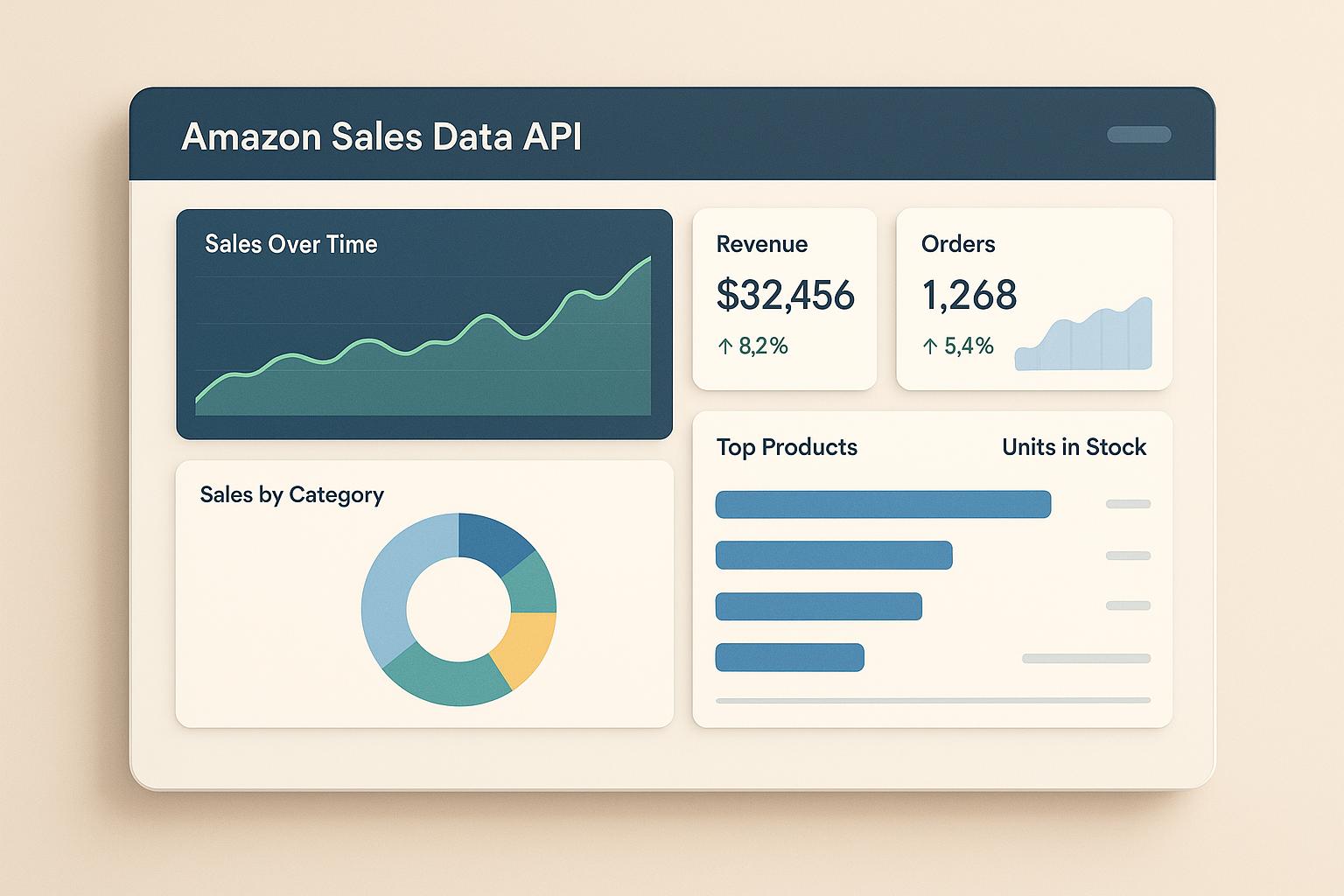
Real-time Amazon sales data APIs give you instant access to critical e-commerce data like pricing, sales estimates, stock levels, and customer reviews. Instead of relying on manual checks or outdated information, these APIs let you monitor market trends, adjust pricing dynamically, and manage inventory efficiently. Whether you're tracking competitor moves or analyzing customer feedback, this tool helps businesses make faster, data-driven decisions.
Key Takeaways:
- What It Does: Retrieves Amazon product details (titles, prices, stock, reviews) in real time.
- Why It Matters: Enables dynamic pricing, accurate sales forecasting, and better inventory planning.
- Integration Options: REST and GraphQL for flexible and efficient data queries.
- Plans Available: Free (100 requests/month), Pay As You Go ($0.01/request), and Premium ($400/month for 100,000 requests).
With tools like Canopy API, you can streamline your workflow and focus on scaling your e-commerce business without worrying about data collection.
Key Features of Amazon Sales Data APIs

Amazon sales data APIs grant direct access to critical information from Amazon's vast marketplace. By understanding the data available and how to retrieve it, you can build tools that respond to market trends as they happen. These APIs are essential for creating analytics systems that integrate smoothly with your operations.
Types of Data Available
Amazon sales data APIs offer a wide range of information across three key categories: product, review, and search data.
- Product Data: This includes essential details like titles, descriptions, brand names, images, pricing, sales estimates, and stock levels. These details form the backbone of any analysis.
- Review Data: Accessing customer reviews provides insights into total ratings, individual feedback, and overall customer sentiment. This helps identify trends and patterns in how customers perceive products.
- Search Data: You can track product rankings for specific keywords, giving you a clearer picture of visibility and competitive positioning in Amazon's marketplace.
The scale of data available is immense. For instance, Canopy API provides access to information on over 350 million Amazon products across more than 25,000 categories. This vast dataset allows you to analyze virtually any market segment or niche.
Real-Time Access to Sales and Performance Metrics
One of the standout features of these APIs is their ability to deliver real-time data. This includes up-to-the-minute updates on sales estimates and stock levels, enabling you to make immediate strategic adjustments. For example:
- Sales Estimates: Weekly, monthly, and annual performance data for any product.
- Stock Levels: Real-time availability to help with inventory planning.
Data processing happens within minutes, thanks to AI-driven systems that reflect current market conditions. This ensures you can make informed decisions, whether you're adjusting prices, forecasting demand, or refining your inventory strategy.
With these real-time insights, you can shift your energy from gathering data to focusing on analysis and growth.
Integration Options: REST and GraphQL
Amazon sales data APIs typically support two integration methods: REST and GraphQL. Each has its own strengths, catering to different needs.
- REST API: Ideal for standard queries, REST uses a resource-oriented approach. You send requests to specific endpoints and receive predefined data sets.
- GraphQL API: This offers more flexibility. You can request only the specific fields you need, minimizing unnecessary data transfer. For example, when querying product details, you might ask for just the
title,brand,mainImageUrl,ratingsTotal,rating, andpricefields.
Here’s a sample GraphQL query to demonstrate its precision:
const query = `
  query {
    product(asin: "B0D1XD1ZV3") {
      title
      brand
      mainImageUrl
      ratingsTotal
      rating
      price {
        display
      }
    }
  }
`;

fetch('https://graphql.canopyapi.co/', {
  method: 'POST',
  headers: {
    'Content-Type': 'application/json',
    'Authorization': 'Bearer YOUR_API_KEY'
  },
  body: JSON.stringify({ query })
})
.then(response => response.json())
.then(data => console.log(data));
For REST, the process is equally straightforward:
fetch('https://rest.canopyapi.co/product/B0D1XD1ZV3', {
  method: 'GET',
  headers: {
    'Authorization': 'Bearer YOUR_API_KEY'
  }
})
.then(response => response.json())
.then(data => console.log(data));
Both approaches are designed for ease of use and quick data retrieval. Your choice will depend on your specific needs. If you require precision and want to reduce data transfer, GraphQL is the better option. If you prefer a simpler, endpoint-based structure, REST might be more suitable.
With both integration methods available, you can seamlessly incorporate Amazon sales data into your systems, whether you're building custom dashboards, automating reporting, or developing tools for real-time monitoring. These APIs provide the essential tools to streamline your workflow and enhance decision-making.
Getting Started with Canopy API Integration
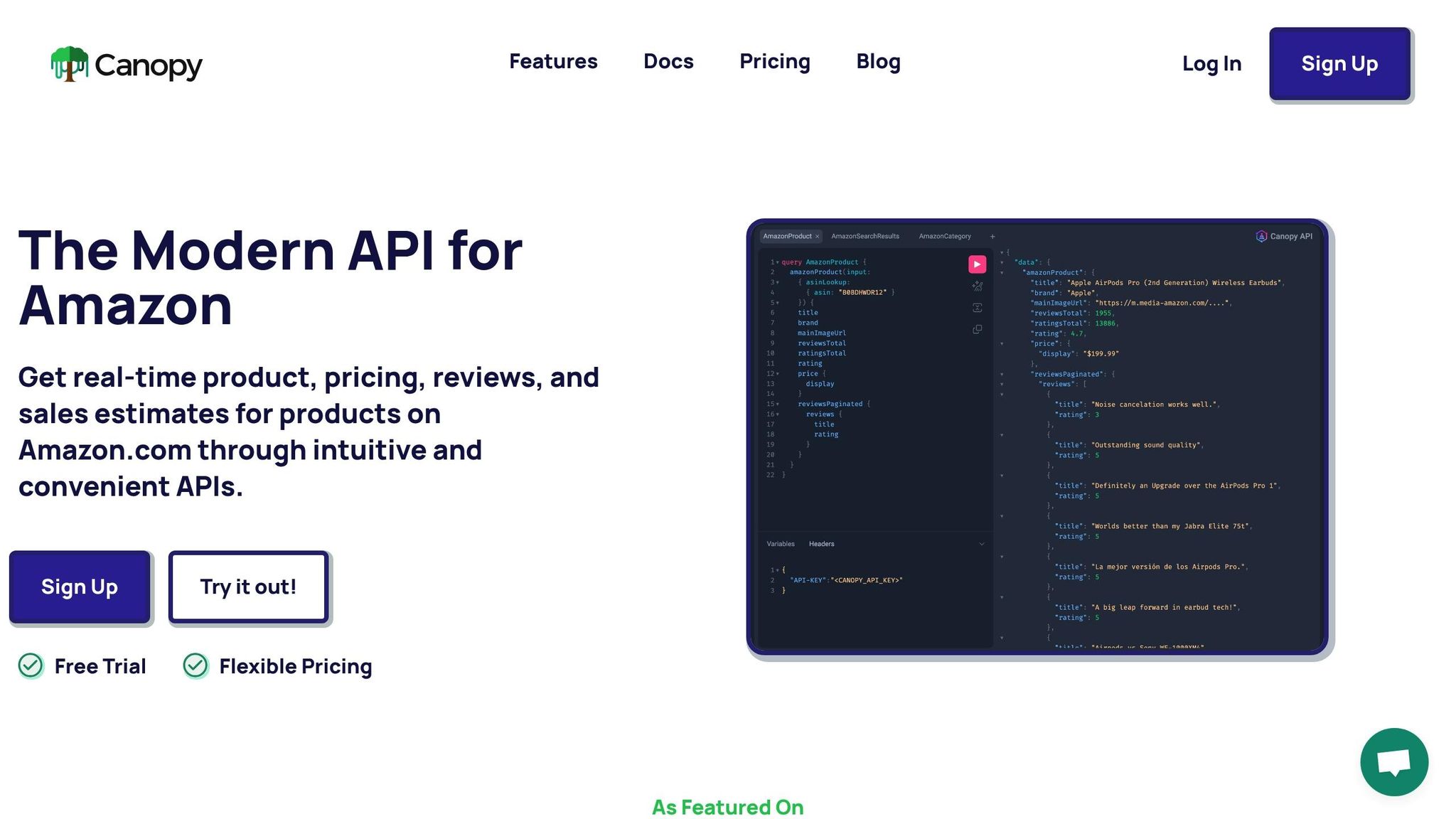
Getting up and running with the Canopy API is straightforward. You can go from creating an account to accessing real-time Amazon sales data in just a few steps. Plus, there's a free plan available that offers 100 requests per month, making it easy to test the waters.
Setting Up Your Canopy API Account
To begin, head over to the Canopy API website and create an account. The registration process is quick and takes only a few minutes.
Once you've signed up, you'll find your API key in your dashboard. This key is essential - it’s what you’ll use to authenticate all your API requests, so make sure to store it securely.
You can choose from three plans depending on your needs:
- Hobby Plan: Free, includes 100 requests per month.
- Pay As You Go: $0.01 per request after the first 100 free, with discounts for higher volumes.
- Premium Plan: $400 per month, includes 100,000 requests.
The free Hobby Plan is perfect for testing and building proof-of-concept applications. It lets you explore the API’s potential without any upfront costs. Once you’re ready to scale, switching to a paid plan is seamless. After selecting your plan, integrate your API key using the secure authentication system provided.
Authentication and API Requests
Every API request must include your API key as a bearer token. This secure method is supported across all major programming languages.
For REST API calls, the endpoint is https://rest.canopyapi.co/. Here’s an example of a basic product lookup using JavaScript:
fetch('https://rest.canopyapi.co/product/B0D1XD1ZV3', {
  method: 'GET',
  headers: {
    'Authorization': 'Bearer YOUR_API_KEY'
  }
})
.then(response => response.json())
.then(data => console.log(data));
Replace YOUR_API_KEY with the key from your dashboard. The ASIN in this example (B0D1XD1ZV3) is a unique identifier for an Amazon product.
For GraphQL requests, use the endpoint https://graphql.canopyapi.co/. GraphQL allows you to specify exactly which data fields you need, making it efficient and flexible. Here’s an example query to fetch specific product details:
const query = `
  query amazonProduct {
    amazonProduct(input: { asinLookup: { asin: "B0D1XD1ZV3" } }) {
      title
      brand
      mainImageUrl
      ratingsTotal
      rating
      price {
        display
      }
    }
  }
`;

fetch('https://graphql.canopyapi.co/', {
  method: 'POST',
  headers: {
    'Content-Type': 'application/json',
    'Authorization': 'Bearer YOUR_API_KEY'
  },
  body: JSON.stringify({ query })
})
.then(response => response.json())
.then(data => console.log(data));
This query retrieves details like the product’s title, brand, image URL, total ratings, average rating, and display price. By requesting only the data you need, GraphQL minimizes bandwidth usage and speeds up responses.
Both REST and GraphQL endpoints provide JSON-formatted responses, making it simple to parse and integrate the data into your applications.
Using Canopy API Documentation
With your API key ready, the next step is to dive into the documentation to simplify your integration process.
The documentation includes detailed explanations of all endpoints, query parameters, and response fields. It also provides sample requests and responses for common use cases, such as product lookups and advanced search queries. These examples help you understand what to expect and how to structure your requests.
Additionally, Canopy offers open-source repositories with real-world implementation examples. These templates demonstrate best practices for error handling, rate limiting, and data processing. Instead of starting from scratch, you can build on these examples and adapt them to suit your project.
When testing your first API requests, start small to ensure your authentication works. Once your key is validated, you can gradually move on to more complex queries. The documentation also includes tips on validating responses, helping you ensure data accuracy.
With its combination of detailed guides and practical examples, the documentation makes integration smoother and faster. Whether you’re building a pricing tool, a competitive analysis dashboard, or an inventory management system, the resources provided will guide you every step of the way.
Practical Applications of Real-Time Sales Data
Real-time Amazon sales data is transforming how businesses strategize. Instead of relying on outdated information, you can tap into current market dynamics and make timely decisions. This data drives everything from pricing adjustments to product innovation, helping you stay ahead in a fast-paced marketplace.
Sales Forecasting and Market Analysis
Effective sales forecasting starts with knowing what's happening right now. Real-time sales estimates let you see how products are performing in the moment, rather than solely relying on historical trends.
By tracking sales data across 350 million products, you can uncover patterns that might otherwise go unnoticed. For instance, you might discover that certain product categories experience periodic spikes or that specific price points consistently attract higher sales. These insights allow for more precise and flexible forecasting.
Real-time pricing data adds even more depth to your market analysis. Keeping an eye on competitor price changes in real time can provide valuable insights. For example, if a competitor lowers their prices and you notice a corresponding sales boost on their end, it reveals how price-sensitive the market is.
Similarly, tracking keyword rankings in search results offers a clear view of market demand. If a product begins climbing in rankings for specific search terms, it could signal an emerging opportunity you can act on before the competition catches up.
The Canopy API processes over 10,000 cache hits daily, ensuring you have rapid access to this critical data. Speed matters - delayed information can mean missed chances to capitalize on evolving market conditions. These insights directly inform pricing strategies and inventory planning.
Competitive Pricing and Inventory Management
Dynamic pricing requires real-time monitoring of competitor prices, enabling you to adjust your own pricing instantly to maintain or grow your market share. Instead of manually checking prices or waiting for periodic reports, you can automate these adjustments to respond faster to market shifts.
Your pricing strategy will depend on your business goals. If gaining market share is your focus, you might position your prices competitively against market leaders. On the other hand, if protecting profit margins is your priority, you can set price floors and only adjust when market conditions justify it.
Real-time data also helps you manage inventory more effectively. By monitoring competitor stock levels, you can spot opportunities and risks. For example, if a competitor's stock is running low, you can ensure your inventory is well-stocked to meet demand. Conversely, if competitors are overstocked, it might signal a slowdown in demand, prompting you to adjust your own orders accordingly.
Using real-time sales velocity data, you can better predict when to reorder inventory, reducing the risk of stockouts while avoiding excess holding costs. This proactive approach ensures your supply chain stays aligned with current market conditions.
But pricing and inventory aren't the only areas where real-time data shines - customer feedback plays a critical role in refining your strategy.
Customer Sentiment Analysis with Review Data
Customer reviews are a goldmine of insights into what buyers truly think. With real-time review data, you can quickly analyze customer sentiment and address issues or opportunities as they arise.
Metrics like ratingsTotal and rating provide a snapshot of customer satisfaction, but the real value often lies in the review text itself. By digging into recurring themes, you can pinpoint actionable insights. For example, if multiple reviews mention damaged packaging, you’ve identified a problem that needs fixing. On the flip side, consistent praise for a specific feature can guide your marketing efforts to highlight what customers love most.
Sentiment analysis can also reveal trends that might not be obvious from individual reviews. A product with an overall good rating might show a recent decline in satisfaction, signaling potential quality issues or changes that need attention.
Customer feedback also informs product development. When reviewers request specific features or improvements, they’re essentially offering free market research. For instance, if many customers suggest adding more color options to a product, it’s a clear opportunity to expand your offerings.
Monitoring competitor reviews provides even more intelligence. A sudden drop in a competitor’s ratings might be worth investigating to avoid similar pitfalls, while frequent praise for features your product lacks could inspire future enhancements.
When combined with real-time sales and pricing data, review insights complete the feedback loop, empowering you to refine product listings, improve offerings, and capitalize on competitor weaknesses. Acting quickly on this data is the key to staying agile in the e-commerce world.
Real-time Amazon data insights provided via Canopy API.
sbb-itb-d082ab0
Scaling and Optimizing API Usage
Once you've mastered the basics of integration, the next step is ensuring your API usage is efficient and scalable. As your operations grow and request volumes increase, finding the right balance between performance, cost, and reliability becomes essential - especially when dealing with thousands or even millions of API requests.
Handling High-Volume API Requests
Managing high-volume API requests requires strategic planning to maintain performance and efficiency.
- Batch Processing: Instead of sending individual API calls for every single product, group requests into batches. This approach is especially useful during off-peak hours, reducing the strain on your system while speeding up data retrieval.
- Caching: Save frequently accessed data locally to minimize redundant API calls. For instance, product descriptions and images don't change often, so there's no need to repeatedly fetch them.
- Respect Rate Limits: Exceeding API rate limits can disrupt your service. To avoid this, implement an exponential backoff strategy. If you hit a rate limit, wait a short time before retrying, and increase the wait time progressively if the issue persists.
- Queue Systems: For large-scale data pulls, use a queue to process requests at a controlled pace. This prevents overwhelming both your infrastructure and the API provider's servers, ensuring steady performance.
By structuring requests efficiently, you can not only improve response times but also cut down on API costs.
Cost Management Strategies
Keeping costs under control is just as important as maintaining performance. With Canopy API's volume-based pricing, you can tailor your plan to match your usage patterns and save money.
- Choose the Right Plan: Analyze your monthly request volume to find the most cost-effective option. For example, the Hobby plan offers 100 free requests per month, ideal for small-scale operations or testing. The Pay As You Go plan charges $0.01 per request, with discounts kicking in at 10,000 and 100,000 requests. Meanwhile, the Premium plan, priced at $400 per month, includes 100,000 requests and charges just $0.004 per additional request. For high-volume users, this can lead to significant savings. Take this scenario: 150,000 monthly requests cost $600 under the Premium plan, compared to $1,500 with Pay As You Go - a difference of $900.
- Adjust Plans Seasonally: If your business experiences seasonal demand spikes, switch between plans as needed. Pay As You Go might work for quieter months, while the Premium plan can handle peak periods more cost-effectively.
- Request Only What You Need: Be selective with the data you pull. If pricing information is all you require, avoid requesting full product details.
- Set Refresh Intervals Wisely: Align your data refresh schedules with how often the information changes. For instance, update pricing hourly but refresh product reviews daily.
Ensuring Data Accuracy and Reliability
As your operations scale, ensuring the accuracy and reliability of your data becomes even more critical. Errors in large datasets can quickly snowball into major issues.
- Validate API Responses: Before storing or acting on data, verify its accuracy. For example, ensure price values are numeric, ratings fall within the 1–5 range, and product identifiers match the expected format. This helps catch incomplete or corrupted data early.
- Implement Robust Error Handling: Log errors, retry failed requests using exponential backoff, and alert your team if issues persist. This ensures problems are addressed before they escalate.
- Monitor Data Freshness: Regularly cross-check critical data points. If you're adjusting prices across your catalog based on competitor information, manually verify a sample of products to ensure the API's data aligns with what's on Amazon.
- Use Canopy API Resources: Leverage Canopy API's documentation and open-source examples to integrate correctly. Many data issues stem from improper implementation rather than flaws in the API itself.
- Track Data Quality Metrics: Set up metrics like request success rates, response times, and data completeness. If any of these metrics decline, investigate immediately to identify and resolve the root cause.
- Automate Data Validation: Build a validation pipeline to run checks on incoming data before it enters your database. Flag anomalies, such as sudden price drops over 50% or missing fields, to prevent errors from spreading.
- Plan for Failures: Always have a fallback mechanism. For instance, if real-time pricing data is unavailable, rely on the last known prices or use conservative default values to maintain operations without disruption.
Scaling your API usage effectively means not just handling growth but also maintaining the quality and efficiency of your operations. By combining smart request strategies, cost management, and rigorous data validation, you can ensure your systems stay reliable and cost-efficient as they scale.
Conclusion
In the fast-paced world of e-commerce, real-time Amazon sales data APIs have become indispensable for businesses aiming to stay ahead of the curve. With instant access to product details, pricing trends, sales estimates, and customer reviews, these tools enable smarter decision-making - whether you're fine-tuning prices, predicting demand, or managing inventory to prevent stock shortages.
Canopy API offers access to a massive database of over 350 million Amazon products through both REST and GraphQL endpoints.
But the value goes beyond just data. Features like real-time review analysis can improve product listings and increase conversions. Keyword tracking helps sharpen SEO strategies, while dynamic pricing keeps your products competitive in a constantly changing market.
Getting started is straightforward. You can begin with the free Hobby plan, which includes 100 monthly requests, and upgrade as your business grows. Comprehensive documentation and examples make integration hassle-free.
As your operations scale, Canopy API is built to handle high-demand scenarios, processing over 10,000 cache hits daily. By taking the complexity out of data collection, it frees up your team to focus on strategic projects that boost revenue and improve customer experiences.
FAQs
How can businesses use real-time Amazon sales data to improve their e-commerce strategy?
Businesses today can tap into real-time Amazon sales data to make informed decisions and maintain a competitive edge in the e-commerce world. By utilizing APIs to access data like product details, pricing, customer reviews, and sales estimates, companies can uncover trends, fine-tune product listings, and monitor their performance as it happens.
This wealth of information helps businesses gain a clearer picture of customer preferences, refine pricing strategies, and stay on top of product demand. These insights pave the way for smarter inventory management, more precise marketing efforts, and better decision-making overall - key elements for driving growth in a fast-paced market.
What’s the difference between using REST and GraphQL for accessing Amazon sales data, and how do I decide which is best for my needs?
Canopy API offers two powerful options for accessing real-time Amazon sales data: REST and GraphQL. Both provide access to essential information like product details, pricing, reviews, and sales estimates, but they cater to different needs.
If you're looking for something straightforward, REST is a solid choice. It features predefined endpoints, making it easy to integrate and perfect for pulling specific data quickly without much hassle.
GraphQL, on the other hand, shines when flexibility is key. With GraphQL, you can tailor your queries to fetch only the data you need, all in a single request. This makes it an efficient option for handling more complex or dynamic applications, as it avoids over-fetching unnecessary data.
The best option depends on your project’s demands. If your task is simple and you need quick results, REST is a great fit. For more advanced, customizable needs, GraphQL is the way to go.
How can I maintain accurate and reliable data when scaling my usage of the Canopy API?
To maintain precise and dependable data while scaling with the Canopy API, it’s crucial to keep a close eye on your API usage and how responses perform over time. Make it a habit to regularly check the API documentation for updates on best practices, as well as any modifications to endpoints or data structures.
Incorporate error handling and rate-limiting into your integration to prevent issues during periods of high traffic. It’s also important to validate the data you receive by double-checking key fields and ensuring it’s formatted correctly for your specific needs. Successful scaling relies on blending solid integration techniques with ongoing monitoring to uphold data quality and consistency.