Amazon Product Data Alternatives in 2026
A 2026 look at alternatives for Amazon product data. The Rainforest API comparison, with pricing and migration notes, is on its own page.
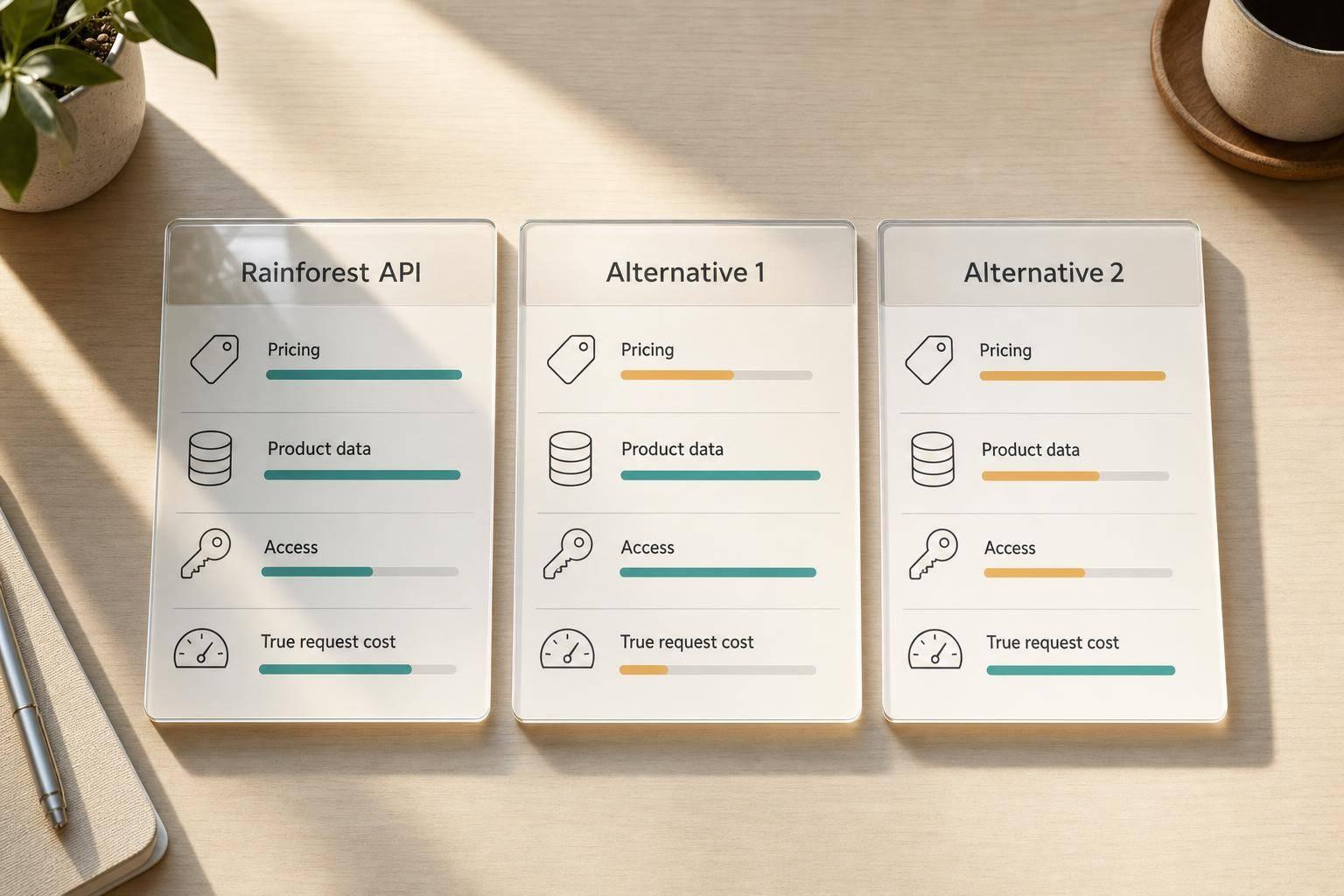
Rainforest API comparison
Pricing, interfaces, and a field-level migration map for the Rainforest API are on the comparison page. This post stays a broader alternatives roundup.
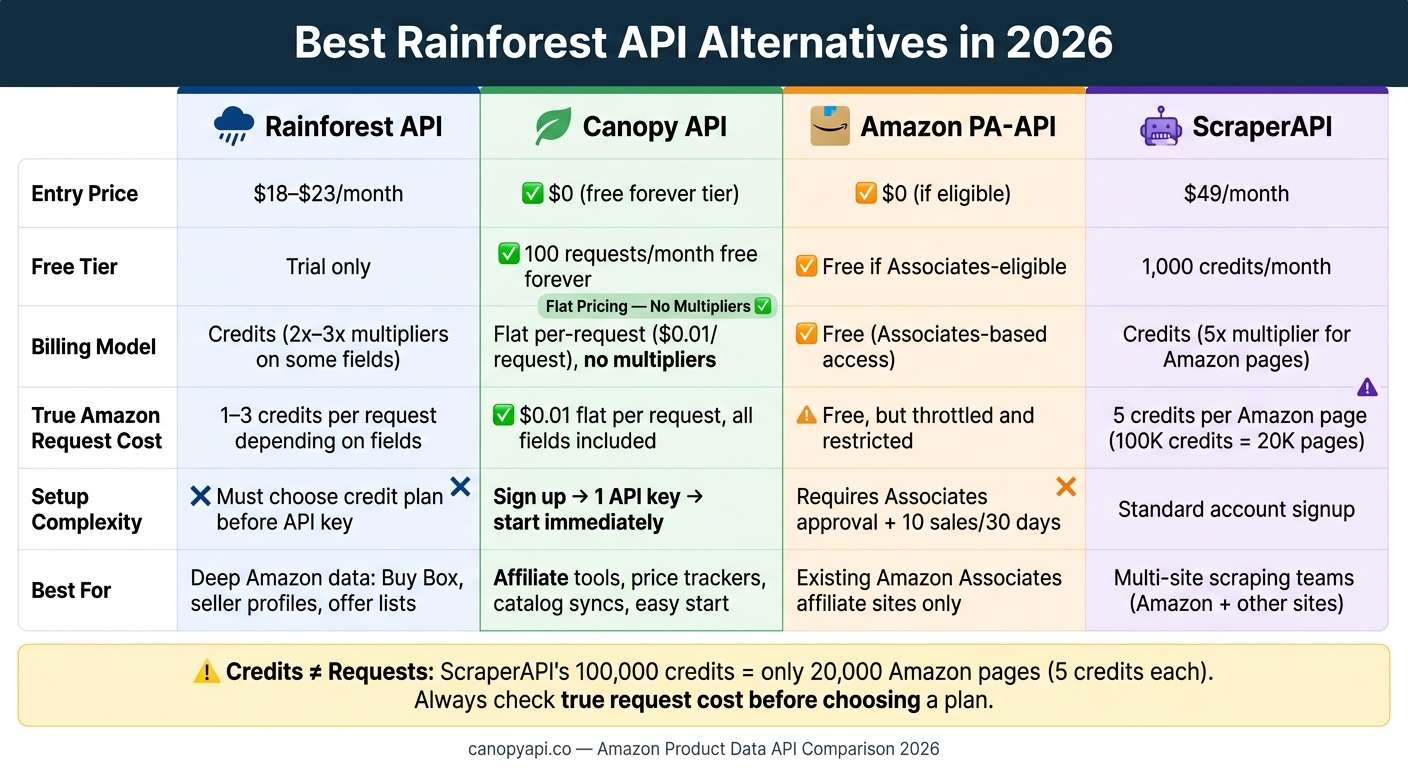
If you need Amazon product data in 2026, the short answer is this: Canopy API is the easiest low-cost starting point, Rainforest API is better for deep seller and offer data, Amazon PA-API only makes sense if you already qualify for Associates access, and ScraperAPI fits teams scraping many sites under one setup.
Here’s what I’d look at first:
- Starting cost: from $0 to $49/month
- Free access: some give a trial, some give a small free tier, and PA-API is free only if you meet Amazon’s rules
- Billing style: flat per request vs. credit systems with multipliers
- Setup time: one key and go, or account approval first
- Data limits: live requests, caching rules, and storage limits
- Best use case: affiliate sites, price tracking, seller monitoring, or mixed-site scraping
One detail matters more than most people think: credits do not equal requests. For example, ScraperAPI’s 100,000 credits becomes 20,000 Amazon pages at 5 credits per request. Rainforest can also charge 2x to 3x credits for some fields. So before picking a tool, I’d check the actual request cost, not the headline plan size.
Quick Comparison
| Provider | Entry Price | Free Tier / Trial | Billing Model | Best For |
|---|---|---|---|---|
| Rainforest API | $18-$23/month | Trial only | Credits, with some 2x-3x field multipliers | Deep Amazon listing, Buy Box, and seller data |
| Canopy API | $0 | 100 requests/month | Flat per-request pricing | Low-friction setup and predictable costs |
| Amazon PA-API | $0 | Free if eligible | Associates-based access | Approved Amazon affiliate use |
| ScraperAPI | $49/month | 1,000 credits/month | Credits, with 5x Amazon multiplier | Teams scraping Amazon plus other sites |
If I had to sum up the whole comparison in one line: pick based on access rules and true request cost, not the top-line price.
No-Code Amazon API Data Scraping with Rainforest (Still Works in 2026)
Rainforest API
Rainforest API is part of the Traject Data suite [3]. It uses one REST endpoint, handles proxy rotation and anti-bot protection on its side, and returns structured JSON, CSV, or HTML [1].
Where it stands out is depth. Rainforest covers product details, keyword search results, customer reviews, promotional deals, best-seller rankings, and full offer lists. It also includes seller and reviewer profiles, which many general-purpose scrapers don't parse well [1][4].
Pricing, Rate Limits, and Data Freshness
The tradeoff is pretty straightforward: if you want deeper Amazon fields, some requests cost more.
The entry-level Hobbyist plan costs $23/month or $18/month billed annually for 500 credits. The Starter plan costs $66/month for 10,000 credits [1][3]. Some fields, such as variant_prices and import_fees, can cost 2 to 3 credits per request [1]. On the Hobbyist plan, overages run $0.06 per credit [1][3]. So if your request volume is off, costs can climb fast.
Rainforest pulls live data at request time, with no caching delay [1]. It also supports webhooks and exports to S3, Google Cloud Storage, and Azure [1].
Where Rainforest API Fits Best
That pricing model makes Rainforest a better match when offer-level detail matters more than cheap testing.
It's a solid fit for agencies, repricers, and brand protection teams that need deep offer data, especially if they want to see every seller on a listing instead of just the Buy Box winner [4]. Setup requires choosing a credit plan before you can generate an API key [1][3]. There isn't a perpetual free tier, but it's still a strong choice for Amazon-focused pipelines that need depth more than simplicity.
Canopy API
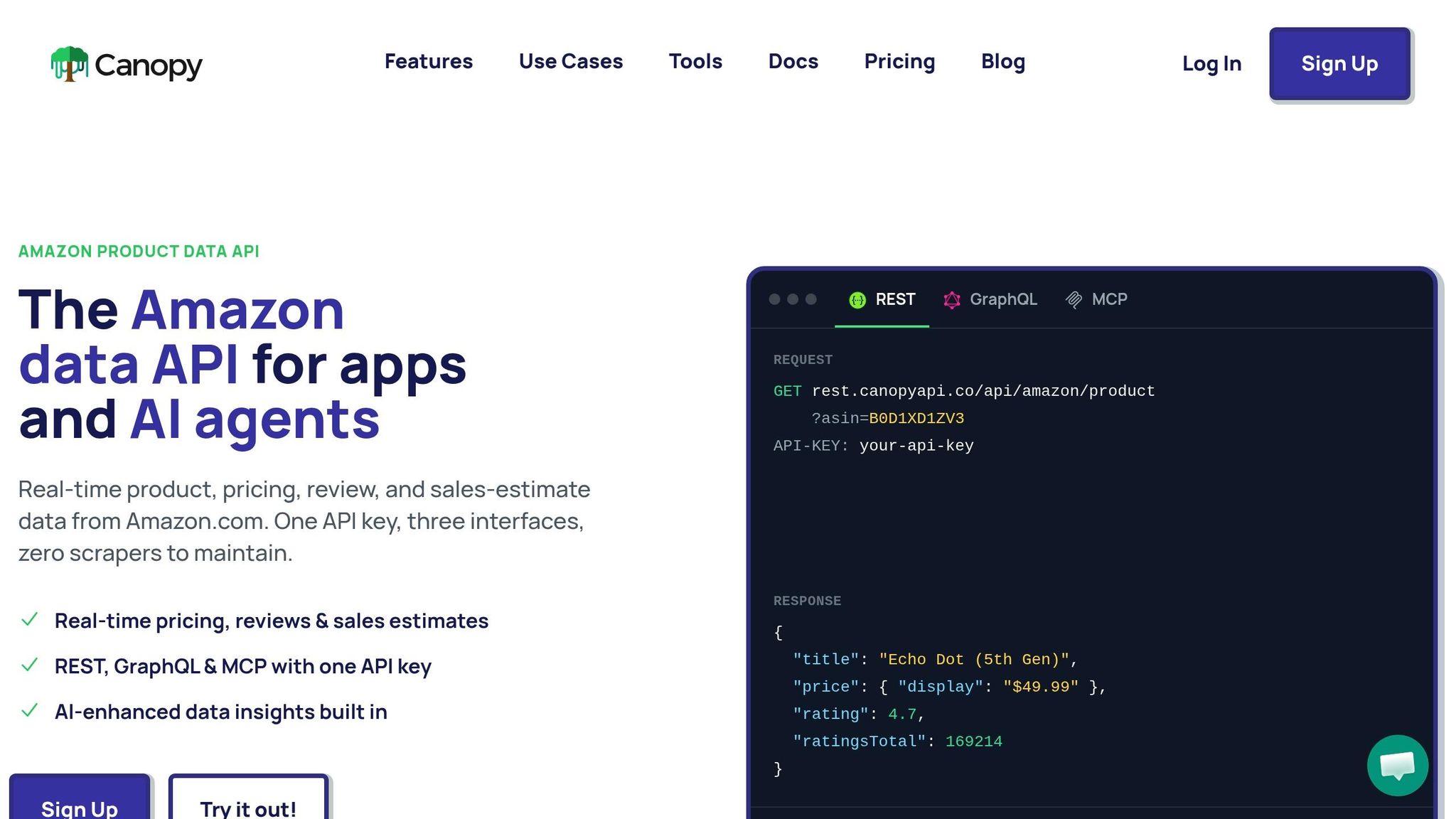
Canopy API uses flat per-request pricing. So each request costs the same, no matter which fields you ask for [1].
Pricing, Free Tier, and Setup Speed
Canopy’s Hobby tier is free forever and includes 100 requests per month. The Pay As You Go plan costs $0.01 per extra request with no monthly minimum. The Premium plan costs $99/month, includes 20,000 requests, and charges $0.008 per extra request. As usage goes up, automatic volume discounts kick in [2].
That pricing stays the same for fields like variant prices too [1]. No surprise charges based on field depth or output size.
Setup is simple: sign up, generate one API key, and start making requests. That same key works across REST, GraphQL, and MCP access for AI agents [2]. The docs also include code samples for a quick start [2]. In plain English, you can go from account creation to working calls without much friction.
GraphQL and REST for Amazon Data Workflows
Canopy supports both REST and GraphQL on top of the same data source [1]. REST is a good fit for single-field lookups. GraphQL is handy when you want several fields back at once, like title, price, images, and reviews, in a single request. That can cut down on round trips for product pages, monitoring flows, and catalog syncs [1].
Before you write code, you can check the data shape with Canopy’s free browser-based ASIN Lookup tool. It returns live Amazon data without a signup, so you can confirm the fields you need before you commit to an integration [5].
When Canopy API Is the Better Choice
Canopy is a strong fit when getting to your first request fast and keeping costs predictable matter more than a complex setup or maintaining scraping infrastructure. It works well for small developer teams building affiliate tools, price trackers, or product catalog syncs that want a low-friction start and flat pricing.
If access restrictions matter more than setup speed, the next option is Amazon PA-API.
Amazon Product Advertising API
Amazon Product Advertising API is Amazon's official product-data API. But there’s a catch: the free option only works for affiliates who meet Amazon’s rules.
Approval Requirements and Access Constraints
The main tradeoff here isn’t price. It’s access.
To get a PA-API key, you need an active Amazon Associates account and you have to pass Amazon’s approval process [3][2]. After that, you still need to keep your account in good standing. Amazon requires at least 10 qualified affiliate sales in the previous 30 days [3]. If you miss that mark, access gets revoked and you’ll see an AssociateNotEligible error [3].
There are other limits too. PA-API has tight throttling, narrow allowed uses, and a 24-hour data retention cap [2]. That makes it a poor fit for historical price tracking or full catalog syncing.
Best Fit for Affiliate and Associates Workflows
PA-API works best if your business already runs on Amazon Associates. For an affiliate content site, free access can be useful.
That said, it starts to break down once you need more than basic affiliate product data. If you’re building a price monitoring tool, a product research app, or anything that depends on review data or long-term storage, PA-API comes up short. It does not provide access to review data [3], and the 24-hour retention rule shuts down historical analysis [2].
In plain English: PA-API is mainly for businesses already tied to Amazon Associates and able to keep that 10-sale monthly minimum. For most other use cases, the risk of losing access and the data limits outweigh the $0 price.
If you need broader scraping access without affiliate gating, the next option is ScraperAPI.
ScraperAPI and Best Choice by Use Case
ScraperAPI for General Scraping Needs
ScraperAPI is a general-purpose scraping platform for teams that need help with proxies, IP rotation, JavaScript rendering, and CAPTCHA solving across many sites [4]. If your team already uses it for a mix of scraping jobs, keeping Amazon under the same bill can be a practical move [3][4].
The tradeoff comes down to credit multipliers. ScraperAPI's Hobby plan includes 100,000 credits, but Amazon requests cost 5 credits each. In plain terms, that works out to 20,000 pages [3].
ScraperAPI also has Structured Data Endpoints that return parsed JSON for Amazon. But it doesn't include seller monitoring, historical tracking, alerts, or dashboards [4]. So while it can handle Amazon, it fits mixed-site scraping better than an Amazon-first setup.
Best Choice by Use Case
Here’s how the options stack up against the criteria above:
| Use Case | Best Choice | Why |
|---|---|---|
| Amazon Associates workflows | Amazon PA-API | Official tool for Amazon Associates, if you meet the 10-sale/30-day quota [3] |
| Lowest starting cost | Canopy API | 100 free requests per month forever, with pay-as-you-go pricing after that [1][3] |
| Easiest setup | Canopy API | One API key, REST and GraphQL support, with no need to size a credit plan upfront [1][2] |
| Fast structured data implementation | Canopy API | GraphQL fetches nested product data in a single request [1][2] |
| Multi-site scraping | ScraperAPI | Best for teams that want one tool for Amazon plus other non-retail sites [3][4] |
FAQs
How do credits translate into actual Amazon requests?
With credit-based services like Rainforest API, credits work more like a variable currency than a simple one-request, one-credit system. In practice, some parameters can push the cost of a single API call well above the base rate. For example, things like variant pricing or import fees may cause one request to use 2x to 3x more credits.
Canopy API takes a simpler approach with flat per-request pricing. Each request costs the same, no matter which data fields you ask for.
Which option is best for small-scale Amazon data projects?
Canopy API is a good match for small-scale Amazon data projects because it comes with an ongoing free tier that includes 100 requests per month at no cost.
Its pay-as-you-go pricing also makes it easy to get started without much overhead. And because it delivers synchronous, real-time results through REST and GraphQL, setup stays simple.
When does Amazon’s official API stop being practical?
Amazon’s official APIs stop being practical once you need data beyond your own business.
The SP-API is limited to your own inventory, orders, and listings. It works for seller-side tasks, but it won’t help much if you want data on products you don’t sell.
The PA-API has strict eligibility rules too. And access can be revoked if you don’t keep up the required affiliate sales. That makes it a shaky fit for teams that need a steady feed of marketplace data.
Put simply, neither API is built for arbitrary product reviews or broad competitor catalog data.