Changelog: New Pricing Plan, $99/month
Flat $99/month plan with 20,000 API requests and $0.008 overages for predictable billing tailored to small and mid-size teams.
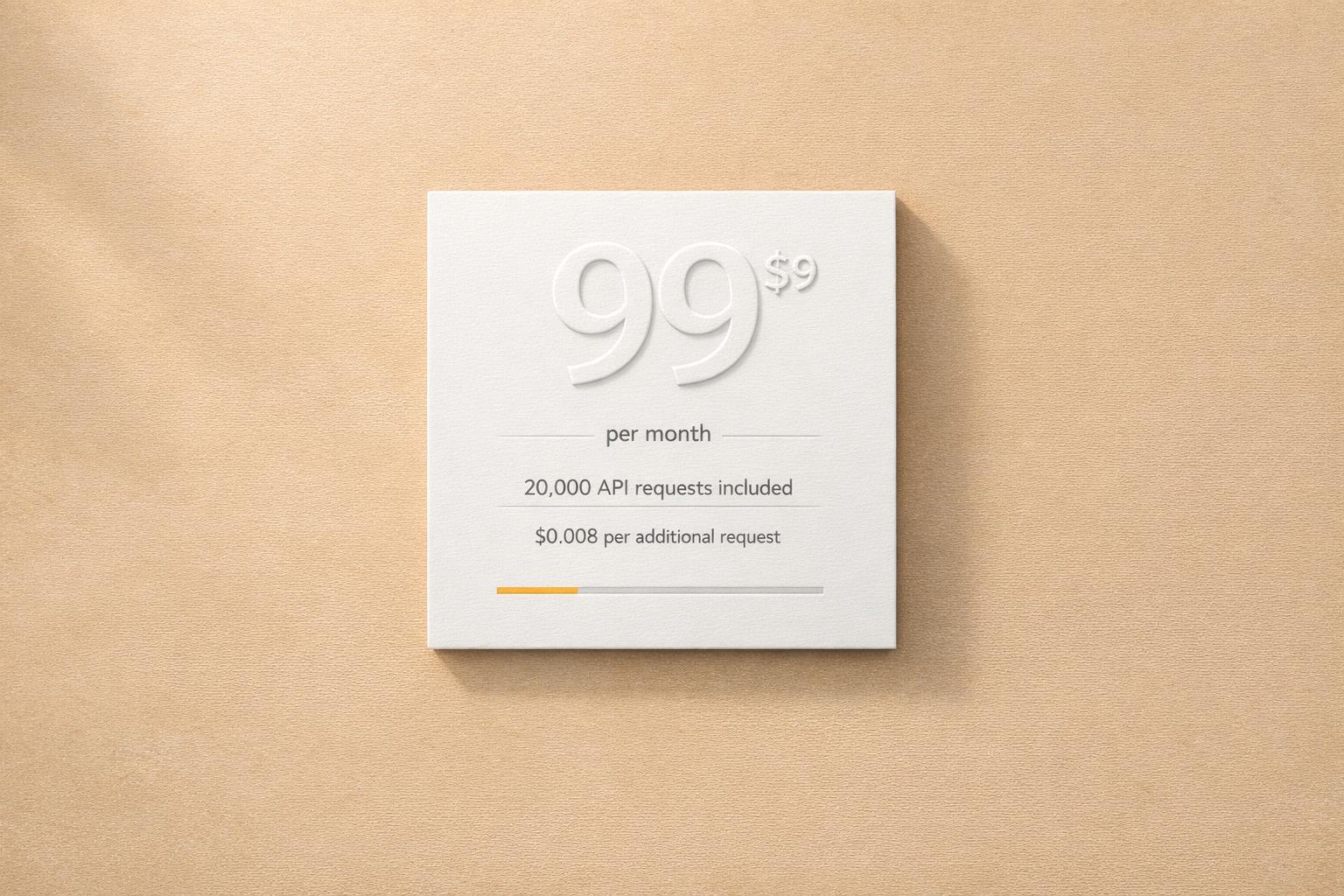
Switch to predictable pricing for just $99/month. This new plan includes 20,000 API requests monthly, with additional requests costing $0.008 each - a 20% discount compared to Pay As You Go rates and competitor pricing. It’s designed for small to medium businesses and developers who need budget-friendly, consistent billing.
Key Highlights:
- Flat Rate: $99/month for 20,000 requests.
- Overage Savings: Extra requests at $0.008 each (vs. $0.01 on Pay As You Go).
- Cost Comparison: Save $100/month compared to Pay As You Go for 20,000 requests.
- Target Users: Ideal for teams scaling beyond the free tier but not yet requiring the Premium plan.
This plan simplifies budgeting, avoids billing surprises, and supports steady growth. Upgrade via the Canopy API dashboard to start saving today.
The Problem with Pay As You Go Pricing
What Customers Told Us
Pay As You Go (PAYG) pricing may seem like a flexible option on paper, but for many teams, it makes budgeting a headache. Customers often mention that unpredictable monthly bills make it nearly impossible to plan ahead financially.
"Invoice-based users wanted more predictability and less 'bill shock' at the end of the month." – Clarifai
Finance teams, in particular, struggle with this model. Costs can skyrocket unexpectedly due to traffic spikes, coding errors, or poor caching practices. For small businesses and growing teams, the stakes are even higher. They’re forced to choose between setting strict usage caps - which could lead to service interruptions - or overspending when usage increases. Neither scenario is ideal for fostering growth.
This lack of cost stability highlights the need for a fixed-cost alternative. The unpredictability becomes even more apparent when you break down costs at various usage levels.
Cost Examples at Different Usage Levels
Let’s take a closer look at what PAYG pricing means in practice, based on the standard rate of $0.01 per request:
| Requests per Month | Pay As You Go Cost | Notes |
|---|---|---|
| 5,000 | $50.00 | Predictable |
| 10,000 | $100.00 | Unpredictable |
| 20,000 | $200.00 | Unpredictable |
| 50,000 | $500.00 | Costs scale linearly with no volume discounts |
| 100,000 | $1,000.00 | Extremely expensive without fixed pricing |
As usage grows, the problem only gets worse. Every additional request still costs $0.01 - whether it’s your 1,000th or your 100,000th. There’s no incentive or discount for scaling up, leaving larger customers with disproportionately high bills.
sbb-itb-d082ab0
The $99/Month Plan: What You Get
Plan Features
The $99/month plan provides a straightforward solution for managing costs while offering plenty of functionality. For this flat rate, you get 20,000 requests per month, giving you predictable billing that’s easy to plan for.
If you happen to go over the 20,000 requests, there’s no need to worry - additional requests are charged at just $0.008 each, offering an affordable option for handling usage spikes.
This plan also includes full access to the Canopy API's live production environment, complete with unlimited production API keys and custom links. On top of that, you’ll gain access to a wide range of insurance data, such as personal and commercial Property & Casualty (P&C) information, document retrieval (like PDFs of declaration pages, ID cards, and endorsements), claims history spanning up to seven years, and specific contact details like VINs and property data. To round it out, email and chat support are included for any assistance you might need.
Who Should Use This Plan
This plan is designed for businesses looking to move away from unpredictable and expensive billing models. It’s particularly suited for small to medium businesses and developers who need stable, predictable pricing without the risk of unexpected costs.
If you’ve outgrown basic tools like spreadsheets or email-based systems and need a more organized, audit-ready platform, this plan is a great step forward. It’s also perfect for startups dealing with fluctuating or uncertain request volumes, as the flat rate ensures a steady base cost while keeping overage fees manageable.
"Canopy better serves our needs, has more efficiencies, and is better cost savings when we take it in and aggregate to all of our previous tools"
API Monetization 101: Plans, Phases & Rate Cards
Cost Comparison: $99/Month vs. Pay As You Go
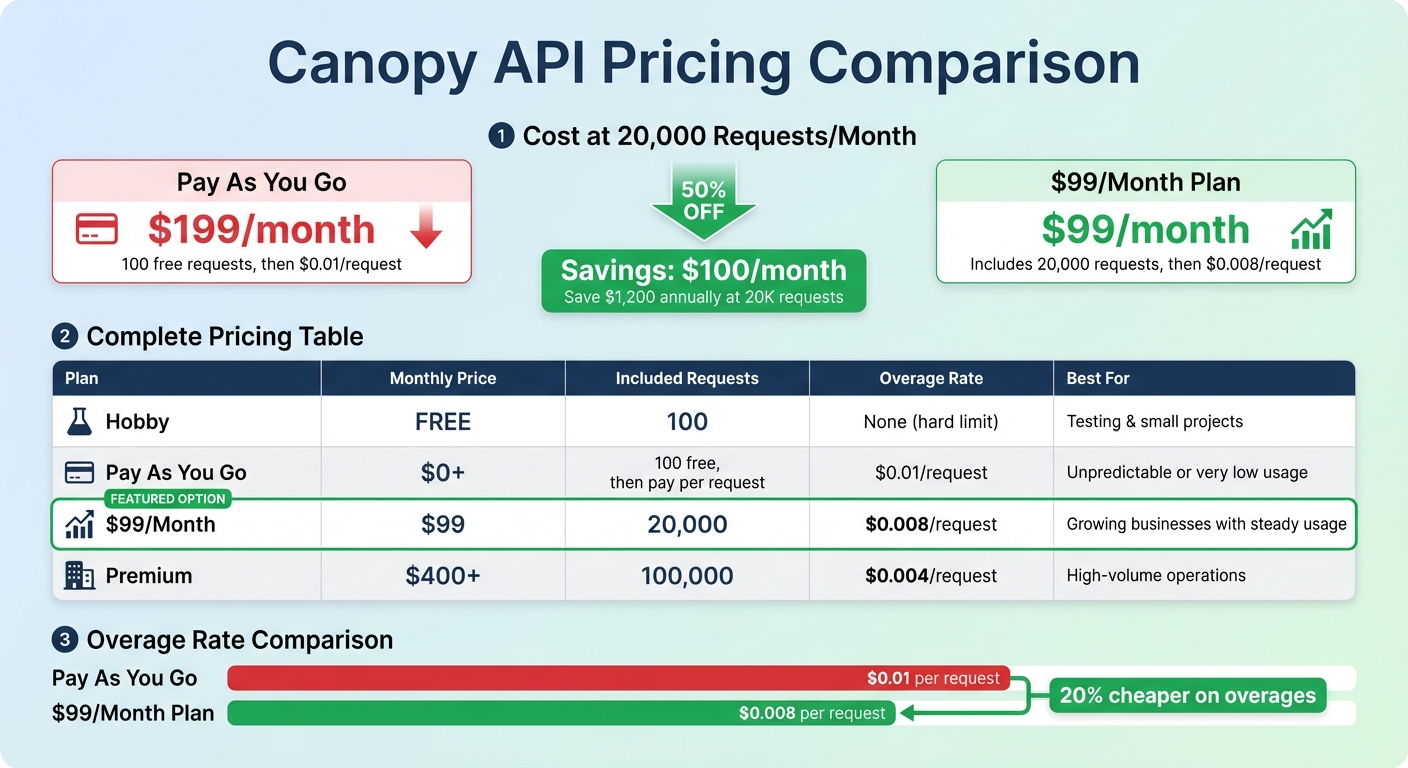
Canopy API Pricing Plans Comparison: Cost Breakdown by Request Volume
Example: 20K Requests Per Month
Let’s break down the numbers for 20,000 requests per month, comparing the $99/month plan to the Pay As You Go option.
With the $99/month plan, your cost is a flat $99 for those 20,000 requests - no surprises, just predictable pricing.
Now, look at Pay As You Go: after the first 100 free requests, 20,000 requests would cost $199. That’s $100 more per month than the $99 plan. Over the course of a year, that’s a savings of $1,200 if you stick with the $99 plan. Plus, if your usage occasionally exceeds 20,000 requests, the overage rate on the $99 plan is $0.008 per request, which is 20% cheaper than Pay As You Go’s $0.01 per request rate. For businesses with consistent usage, the $99 plan is a clear winner.
All Plans Compared
Here’s a quick look at how all Canopy API pricing options stack up. This table highlights where the $99/month plan fits for businesses that have outgrown the free tier but aren’t yet handling massive request volumes:
| Plan | Monthly Price | Included Requests | Overage Rate | Best For |
|---|---|---|---|---|
| Hobby | Free | 100 | None (hard limit) | Testing and small projects |
| Pay As You Go | $0+ | 100 free, then pay per request | $0.01 per request | Unpredictable or very low usage |
| $99/Month | $99 | 20,000 | $0.008 per request | Growing businesses with steady usage |
| Premium | $400+ | 100,000 | $0.004 per request | High-volume operations |
With predictable pricing, the $99/month plan helps businesses grow without worrying about unexpected costs. It’s a practical choice for those ready to scale up.
How to Switch to the $99/Month Plan
Upgrade Steps
Switching to the $99/month plan is simple and quick. Begin by navigating to the Account Management section in your Canopy API dashboard. This is where you can manage all upgrades and license purchases. Keep in mind, only admin users with the proper account management permissions can make these changes. If you don’t see the option to upgrade, it’s a good idea to check with your account administrator.
Once you're in the Account Management section, select the $99/month plan and follow the steps to complete the payment. Your account will update right away, giving you access to 20,000 requests per month at a flat rate. The dashboard also allows you to monitor usage and credit balances in real time. After upgrading, double-check to ensure that the new settings are active.
Testing Your Request Limits
Once the upgrade is complete, you’ll want to confirm that the new request limits are working. You can test this through either the REST or GraphQL endpoint. Below is a quick JavaScript example for the REST API:
const response = await fetch('https://rest.canopyapi.co/product', {
  method: 'POST',
  headers: {
    'Authorization': 'Bearer YOUR_API_KEY',
    'Content-Type': 'application/json'
  },
  body: JSON.stringify({ asin: 'B08N5WRWNW' })
});

const data = await response.json();
console.log('Request successful:', data);
console.log('Remaining requests:', response.headers.get('X-RateLimit-Remaining'));
For those using GraphQL, here’s an example to test your limits with the GraphQL endpoint:
const response = await fetch('https://graphql.canopyapi.co/', {
  method: 'POST',
  headers: {
    'Authorization': 'Bearer YOUR_API_KEY',
    'Content-Type': 'application/json'
  },
  body: JSON.stringify({
    query: `{ product(asin: "B08N5WRWNW") { title price } }`
  })
});

const data = await response.json();
console.log('GraphQL response:', data);
Both examples will help you confirm that your requests are being processed under the new plan. Be sure to check the response headers, as they include rate limit details, such as the number of remaining monthly requests. This ensures everything is running smoothly with your upgraded plan.
Conclusion: Affordable Pricing for Growing Businesses
The $99/month plan offers a straightforward and budget-friendly option for businesses and developers seeking consistent data access. Instead of worrying about the unpredictability of pay-as-you-go pricing, this plan provides a flat rate that includes 20,000 requests per month, with an additional cost of just $0.008 per request beyond that. This setup makes it easier to estimate your monthly expenses and plan for future growth.
At the 20,000-request level, this plan effectively cuts costs in half - from $199 to $99 - while also eliminating pricing uncertainty. This is especially helpful for businesses with varying data needs.
The fixed pricing structure simplifies scaling as well. Positioned between the free Hobby tier (100 requests) and the Premium tier (starting at $400/month for 100,000 requests), this plan allows you to expand without worrying about sudden overage fees. Plus, the $0.008 per-request rate beyond 20,000 requests is lower than the typical pay-as-you-go rate, helping you manage costs even during unexpected traffic surges.
FAQs
What happens if I go over 20,000 requests?
If you go over 20,000 requests on the $99/month plan, you'll be charged $0.008 per additional request. This way, you only pay for the extra usage beyond the plan's limit.
Do unused requests roll over to the next month?
Unused requests don't roll over to the next month. At the start of each billing cycle, the count resets, meaning any leftover requests from the previous month disappear and can't be used in the new cycle.
When should I choose Premium instead of $99/month?
Opt for the Premium plan if your business requires higher request capacities, advanced functionalities, or scalable options to support larger operations or future growth. Starting at $400 per month, this plan provides expanded features designed to meet these demands.