Scaling ML Workflows with Amazon Data APIs
Build scalable ML pipelines with Amazon product APIs, covering ingestion, enrichment, SageMaker integration, and low-latency real-time inference.

Building machine learning workflows for e-commerce? Here's what you need to know: Real-time data is the key to staying competitive. Amazon Data APIs, like Canopy API, provide instant access to product details, pricing, reviews, and stock levels without the hassle of web scraping. This enables up-to-date predictions for pricing models, recommendation engines, and inventory forecasts.
Key Takeaways:
- Why It Matters: E-commerce data changes constantly. Using outdated information leads to poor decisions.
- What It Offers: Canopy API provides access to 350M+ products with REST and GraphQL endpoints, supporting real-time and batch workflows.
- How It Works: Fetch only the data you need, automate pipelines with AWS tools (Lambda, S3, SageMaker), and scale effortlessly.
- Cost: Free for 100 monthly requests; Pay As You Go starts at $0.01/request with volume discounts.
This guide explains how to design scalable pipelines, integrate real-time data, and optimize ML models for better predictions. Ready to move beyond stale data? Let’s dive in.
Workshop Sessions: Deploying an E2E ML Pipeline with AWS SageMaker - What Amazon didn't tell you
Building Scalable ML Data Pipelines with Amazon Data APIs
Creating a scalable data pipeline requires careful planning to ensure it can handle different tasks, adapt to varying workloads, and maintain efficiency. When working with Amazon data for machine learning (ML) workflows, your pipeline must support both batch processing for model training and real-time data retrieval for inference. A well-thought-out design avoids the need for costly overhauls down the road.
Data Flow Modeling for ML Workflows
ML workflows generally follow two main paths: offline feature generation for training and online feature retrieval for real-time inference. Understanding this distinction is key to building an efficient pipeline.
The offline workflow deals with historical data and feature engineering. For example, if you're building a pricing model, you might gather daily price snapshots, review trends, and sales estimates from Amazon's vast product data. This data can be stored in Amazon S3, processed with transformation jobs, and then fed into SageMaker for training.
On the other hand, the online workflow focuses on speed and reliability, often querying APIs directly or using cached data. For instance, a recommendation engine might need to retrieve stock levels and recent reviews in milliseconds.
By keeping these two workflows separate, you prevent bottlenecks. Heavy batch jobs for training won’t interfere with real-time inference, and your inference pipeline remains responsive and lightweight. This separation is a cornerstone of scalable pipeline design.
Data Ingestion with Canopy API
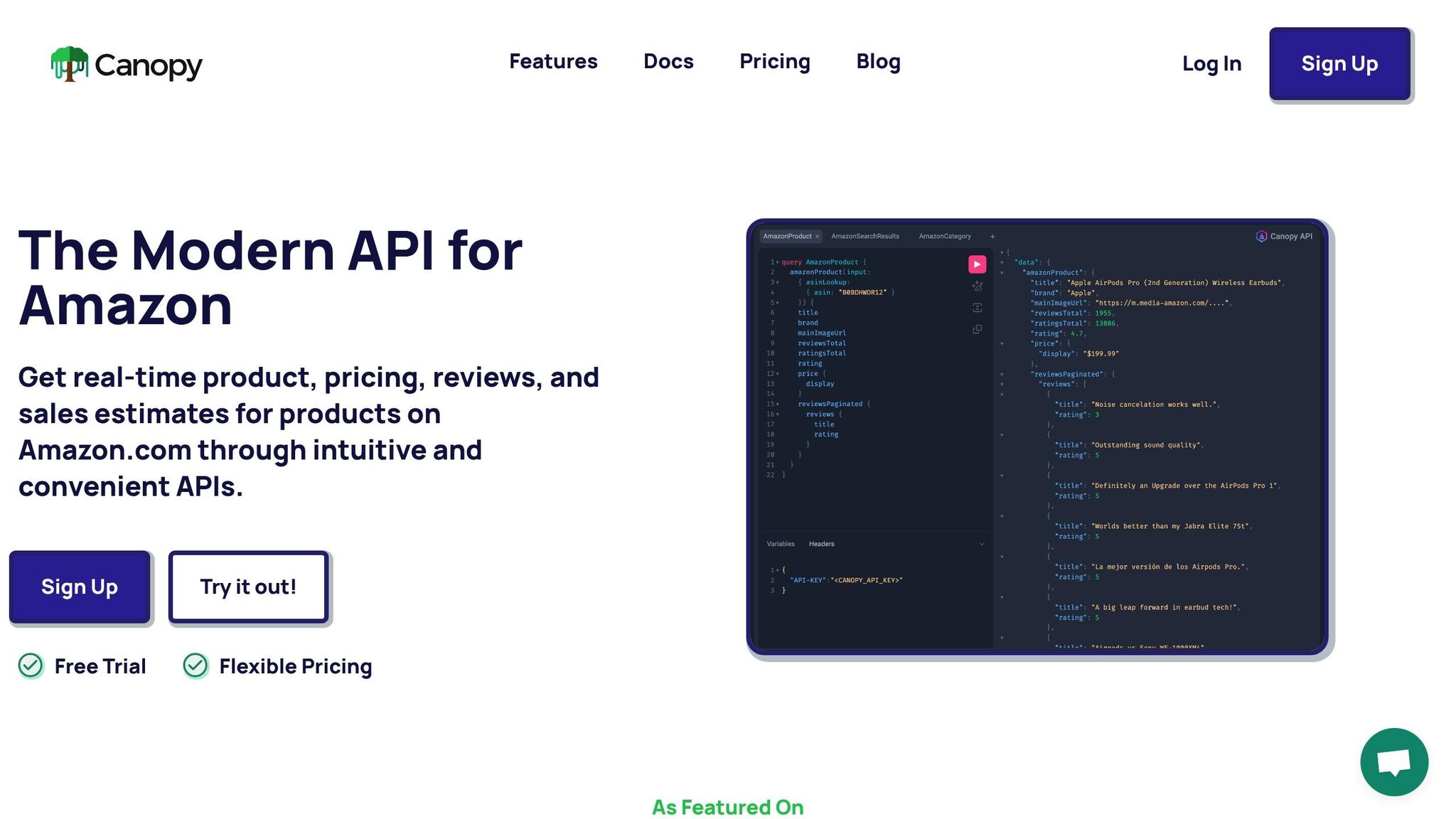
Data ingestion is the backbone of any pipeline. The Canopy API simplifies this process by offering structured access to over 350 million Amazon products across more than 25,000 categories. Instead of maintaining custom scrapers, you can use the REST or GraphQL endpoints to fetch the exact data you need.
For batch ingestion, the REST API endpoint (https://rest.canopyapi.co/) is a great starting point. Here’s a JavaScript example for fetching product data by ASIN:
const fetch = require('node-fetch');

async function fetchProductData(asin) {
  const response = await fetch(
    `https://rest.canopyapi.co/products/${asin}`,
    {
      headers: {
        'Authorization': `Bearer ${process.env.CANOPY_API_KEY}`,
        'Content-Type': 'application/json'
      }
    }
  );

  const data = await response.json();
  return data;
}

// Batch processing multiple ASINs
async function ingestBatch(asins) {
  const products = [];

  for (const asin of asins) {
    const product = await fetchProductData(asin);
    products.push(product);

    // Rate limiting consideration
    await new Promise(resolve => setTimeout(resolve, 100));
  }

  return products;
}
For more tailored queries, the GraphQL endpoint (https://graphql.canopyapi.co/) lets you fetch only the fields you need. For example, if you’re engineering features like pricing, ratings, and stock availability, you can customize your query:
const fetch = require('node-fetch');

async function fetchProductFeatures(asin) {
  const query = `
    query GetProductFeatures($asin: String!) {
      product(asin: $asin) {
        title
        brand
        pricing {
          current
          currency
        }
        ratings {
          average
          count
        }
        salesEstimates {
          monthlySales
        }
        stock {
          availability
          quantity
        }
      }
    }
  `;

  const response = await fetch('https://graphql.canopyapi.co/', {
    method: 'POST',
    headers: {
      'Authorization': `Bearer ${process.env.CANOPY_API_KEY}`,
      'Content-Type': 'application/json'
    },
    body: JSON.stringify({
      query,
      variables: { asin }
    })
  });

  const result = await response.json();
  return result.data.product;
}
This approach minimizes unnecessary data transfer and speeds up downstream processing. To handle large-scale operations, you can store raw API responses in S3. For instance, schedule AWS Lambda functions to fetch product data and store it as JSON files in S3, organized by date:
const AWS = require('aws-sdk');
const s3 = new AWS.S3();

async function ingestAndStore(asins, date) {
  const products = await ingestBatch(asins);

  const key = `raw-data/year=${date.getFullYear()}/month=${date.getMonth() + 1}/day=${date.getDate()}/products.json`;

  await s3.putObject({
    Bucket: 'ml-pipeline-data',
    Key: key,
    Body: JSON.stringify(products),
    ContentType: 'application/json'
  }).promise();

  return products.length;
}
The Canopy API also handles over 10,000 cache hits daily, ensuring that frequently requested data is returned almost instantly. This built-in caching is particularly useful for pipelines that repeatedly process popular products, improving efficiency without requiring additional infrastructure.
Separating Pipeline Concerns
To build a scalable and maintainable pipeline, it’s essential to separate its components. Each stage - data ingestion, transformation, and model training - should have a clear, distinct role and communicate through well-defined interfaces.
- Ingestion Layer: This stage focuses solely on fetching raw data from Canopy API and storing it. No transformations or feature engineering occur here, allowing you to focus on data collection without worrying about processing logic.
- Transformation Layer: This layer processes raw data and applies feature engineering. For instance, AWS Glue can run Spark jobs to compute metrics like 30-day price trends or sentiment scores from reviews. The processed data can then be stored in an optimized format, such as partitioned Parquet files, for training.
- Training Layer: This stage uses the processed features to train ML models, often leveraging SageMaker Pipelines. Keeping this layer separate ensures that changes to the data source or schema don’t disrupt the training process.
This modular design allows each component to scale independently. For example, if your ingestion workload increases, you can scale that component without affecting transformation or training. Using S3 as a communication buffer between stages further enhances flexibility.
A microservices architecture can take this separation a step further. Each pipeline stage can operate as an independent service with its own deployment cycle. For example, the ingestion service might update weekly to accommodate new data fields, while the transformation logic evolves daily as new features are added. This modularity speeds up development and reduces the risk of introducing bugs when changes are made.
The Canopy API’s pricing model complements this approach. Starting at $0 per month with 100 free requests, the Pay As You Go plan charges $0.01 per additional request, with discounts kicking in at 10,000 and 100,000 requests. As your pipeline processes more data, the per-request cost decreases, aligning expenses with the scale of your operations.
Integrating ML Models with Transformation Workflows
Once you've ingested and stored Amazon product data, the next step is to integrate it with your machine learning (ML) models. This process transforms raw data into actionable, production-ready models while avoiding unnecessary delays or maintenance headaches.
Building SageMaker Pipelines with Amazon Data
SageMaker Pipelines provides a structured way to manage ML workflows, covering everything from data preparation to model deployment. When dealing with Amazon product data, you can design pipelines that automatically retrain models as new data becomes available. This ensures your predictions remain in sync with changing market trends.
To get started, define a pipeline that processes raw product data stored in S3. For example, a demand forecasting pipeline typically includes steps like data validation, feature engineering, model training, evaluation, and conditional deployment:
const AWS = require('aws-sdk');
const sagemaker = new AWS.SageMaker();

async function createMLPipeline() {
  const pipelineDefinition = {
    Version: '2020-12-01',
    Parameters: [
      {
        Name: 'InputDataUrl',
        Type: 'String',
        DefaultValue: 's3://ml-pipeline-data/raw-data/'
      },
      {
        Name: 'ModelApprovalStatus',
        Type: 'String',
        DefaultValue: 'PendingManualApproval'
      }
    ],
    Steps: [
      {
        Name: 'DataValidation',
        Type: 'Processing',
        Arguments: {
          ProcessingResources: {
            ClusterConfig: {
              InstanceType: 'ml.m5.xlarge',
              InstanceCount: 1,
              VolumeSizeInGB: 30
            }
          },
          ProcessingInputs: [
            {
              InputName: 'raw-data',
              S3Input: {
                S3Uri: { Get: 'Parameters.InputDataUrl' },
                LocalPath: '/opt/ml/processing/input'
              }
            }
          ],
          ProcessingOutputs: [
            {
              OutputName: 'validated-data',
              S3Output: {
                S3Uri: 's3://ml-pipeline-data/validated/',
                LocalPath: '/opt/ml/processing/output'
              }
            }
          ]
        }
      },
      {
        Name: 'FeatureEngineering',
        Type: 'Processing',
        DependsOn: ['DataValidation']
      },
      {
        Name: 'ModelTraining',
        Type: 'Training',
        DependsOn: ['FeatureEngineering']
      },
      {
        Name: 'ModelEvaluation',
        Type: 'Processing',
        DependsOn: ['ModelTraining']
      },
      {
        Name: 'ConditionalDeployment',
        Type: 'Condition',
        DependsOn: ['ModelEvaluation']
      }
    ]
  };

  const params = {
    PipelineName: 'amazon-product-demand-forecast',
    PipelineDefinition: JSON.stringify(pipelineDefinition),
    RoleArn: process.env.SAGEMAKER_ROLE_ARN
  };

  const result = await sagemaker.createPipeline(params).promise();
  return result.PipelineArn;
}
In this pipeline, raw data is read from S3, features are computed, and a training dataset is output in an efficient format such as Parquet. During training, you can use SageMaker's built-in algorithms or custom containers. For demand forecasting, algorithms like DeepAR can analyze historical sales data, pricing trends, and seasonal patterns. Meanwhile, model evaluation metrics, such as Mean Absolute Percentage Error (MAPE) for forecasting or F1 scores for classification tasks, ensure only high-performing models are deployed.
The conditional deployment step is a safeguard, ensuring that only models meeting quality standards are registered and pushed to production. If a model's evaluation metrics fall short, the pipeline triggers an alert for manual review.
With the pipeline in place, the next step focuses on enriching the data during the transformation process to ensure models are trained on the most up-to-date insights.
Enriching Data with Canopy API During Transformation
Real-time data enrichment during transformation adds crucial market context to your features, making models more responsive. While batch ingestion captures historical trends, enrichment brings in the latest pricing, stock levels, or sales figures just before training or inference. This keeps your models aligned with current conditions.
For SageMaker Processing jobs, you can integrate enrichment directly into your feature engineering script. The job reads ASINs (Amazon Standard Identification Numbers) from your dataset, batches them, and queries the Canopy API to fetch updated data:
const fetch = require('node-fetch');
const AWS = require('aws-sdk');
const s3 = new AWS.S3();

exports.handler = async (event) => {
  const { bucket, key, asins } = event;

  // Fetch current data for products
  const enrichedData = await Promise.all(
    asins.map(async (asin) => {
      const query = `
        query EnrichProduct($asin: String!) {
          product(asin: $asin) {
            pricing {
              current
              currency
            }
            salesEstimates {
              monthlySales
              dailySales
            }
            stock {
              availability
              quantity
            }
            ratings {
              average
              count
            }
          }
        }
      `;

      const response = await fetch('https://graphql.canopyapi.co/', {
        method: 'POST',
        headers: {
          'Authorization': `Bearer ${process.env.CANOPY_API_KEY}`,
          'Content-Type': 'application/json'
        },
        body: JSON.stringify({
          query,
          variables: { asin }
        })
      });

      const result = await response.json();
      return {
        asin,
        enrichedAt: new Date().toISOString(),
        ...result.data.product
      };
    })
  );

  // Store enriched data back to S3
  await s3.putObject({
    Bucket: bucket,
    Key: `enriched/${key}`,
    Body: JSON.stringify(enrichedData),
    ContentType: 'application/json'
  }).promise();

  return {
    statusCode: 200,
    enrichedCount: enrichedData.length
  };
};
For instance, a pricing optimization model might need data on competitive positioning. During transformation, you can enrich each product record with current pricing from similar products in the same category. By querying the Canopy API, you can extract pricing data and calculate percentile rankings to help your model evaluate competitive pricing strategies.
The GraphQL interface of the Canopy API is particularly helpful here. It allows you to fetch only the fields you need - such as pricing, sales estimates, or availability - reducing data transfer and speeding up processing:
async function enrichForPricingModel(products) {
  const query = `
    query BatchEnrich($asins: [String!]!) {
      products(asins: $asins) {
        asin
        pricing {
          current
          listPrice
          currency
        }
        salesEstimates {
          monthlySales
        }
        ratings {
          average
        }
      }
    }
  `;

  const response = await fetch('https://graphql.canopyapi.co/', {
    method: 'POST',
    headers: {
      'Authorization': `Bearer ${process.env.CANOPY_API_KEY}`,
      'Content-Type': 'application/json'
    },
    body: JSON.stringify({
      query,
      variables: { asins: products.map(product => product.asin) }
    })
  });

  const result = await response.json();
  return result.data.products;
}
sbb-itb-d082ab0
Real-Time Inference Architecture with Amazon Data APIs
Building on scalable ingestion and transformation pipelines, this section dives into the mechanics of real-time inference - delivering predictions within milliseconds. Real-time systems must efficiently retrieve live product data, process it into features, and generate predictions while maintaining a balance between speed, cost, and reliability.
Building a Real-Time Prediction Path
A real-time inference system integrates API Gateway, Lambda functions, Canopy API, and SageMaker endpoints. Each component has a specific role: API Gateway manages incoming requests and authentication, Lambda functions fetch live data from Canopy API and transform it into feature vectors, and SageMaker endpoints handle model predictions.
Here’s how it works: when a client requests a prediction - say for pricing optimization or inventory adjustments - API Gateway triggers a Lambda function. This function retrieves live product data via Canopy API, processes it into feature vectors, and sends these to a SageMaker endpoint for prediction:
const fetch = require('node-fetch');
const AWS = require('aws-sdk');
const sagemakerRuntime = new AWS.SageMakerRuntime();

exports.handler = async (event) => {
  const { asin } = JSON.parse(event.body);

  // Fetch real-time product data
  const query = `
    query GetProductFeatures($asin: String!) {
      product(asin: $asin) {
        pricing {
          current
          listPrice
          currency
        }
        salesEstimates {
          monthlySales
          dailySales
        }
        ratings {
          average
          count
        }
        stock {
          availability
        }
      }
    }
  `;

  const response = await fetch('https://graphql.canopyapi.co/', {
    method: 'POST',
    headers: {
      'Authorization': `Bearer ${process.env.CANOPY_API_KEY}`,
      'Content-Type': 'application/json'
    },
    body: JSON.stringify({
      query,
      variables: { asin }
    })
  });

  const { data } = await response.json();
  const product = data.product;

  // Prepare feature vector
  const features = [
    product.pricing.current,
    product.pricing.listPrice,
    product.salesEstimates.monthlySales,
    product.salesEstimates.dailySales,
    product.ratings.average,
    product.ratings.count,
    product.stock.availability === 'IN_STOCK' ? 1 : 0
  ];

  // Invoke SageMaker endpoint
  const prediction = await sagemakerRuntime.invokeEndpoint({
    EndpointName: process.env.SAGEMAKER_ENDPOINT_NAME,
    ContentType: 'application/json',
    Body: JSON.stringify({ features })
  }).promise();

  return {
    statusCode: 200,
    body: JSON.stringify({
      asin,
      prediction: JSON.parse(prediction.Body.toString()),
      timestamp: new Date().toISOString()
    })
  };
};
Each component scales independently, ensuring flexibility and efficiency. To minimize delays, configure provisioned concurrency for Lambda functions to avoid cold starts, and enable auto-scaling for SageMaker endpoints based on traffic metrics. This architecture bridges the gap between enriched data and low-latency predictions.
Live Data vs Cached Data for Predictions
Not all features require real-time updates. Choosing between live API calls and cached data impacts both cost and latency. Canopy API offers cost efficiency at scale, making it a key consideration.
Dynamic features like current pricing, stock availability, and daily sales estimates benefit from live data. For example, in pricing optimization, knowing if a competitor has adjusted their price or if inventory levels have shifted is crucial. By fetching live data, predictions stay aligned with real-time market conditions.
On the other hand, static attributes such as product titles, brand names, category classifications, and historical review aggregates change infrequently. These can be cached in DynamoDB or ElastiCache, refreshing daily to maintain accuracy while reducing costs. Canopy API’s built-in caching further optimizes frequently accessed data.
A hybrid approach works best: cache static data with daily refreshes while fetching dynamic data in real time. Here’s an example:
const AWS = require('aws-sdk');
const fetch = require('node-fetch');
const dynamodb = new AWS.DynamoDB.DocumentClient();

async function getProductFeatures(asin) {
  // Check cache for static attributes
  const cached = await dynamodb.get({
    TableName: 'ProductCache',
    Key: { asin }
  }).promise();

  let staticFeatures;
  if (cached.Item && (Date.now() - cached.Item.cachedAt) < 86400000) {
    // Use cached data if less than 24 hours old
    staticFeatures = cached.Item;
  } else {
    // Fetch and cache static attributes
    const staticQuery = `
      query GetStaticFeatures($asin: String!) {
        product(asin: $asin) {
          title
          brand
          category
          ratings {
            average
            count
          }
        }
      }
    `;

    const response = await fetch('https://graphql.canopyapi.co/', {
      method: 'POST',
      headers: {
        'Authorization': `Bearer ${process.env.CANOPY_API_KEY}`,
        'Content-Type': 'application/json'
      },
      body: JSON.stringify({
        query: staticQuery,
        variables: { asin }
      })
    });

    const { data } = await response.json();
    staticFeatures = {
      asin,
      ...data.product,
      cachedAt: Date.now()
    };

    // Store in cache
    await dynamodb.put({
      TableName: 'ProductCache',
      Item: staticFeatures
    }).promise();
  }

  // Always fetch dynamic data live
  const dynamicQuery = `
    query GetDynamicFeatures($asin: String!) {
      product(asin: $asin) {
        pricing {
          current
          currency
        }
        salesEstimates {
          dailySales
        }
        stock {
          availability
        }
      }
    }
  `;

  const dynamicResponse = await fetch('https://graphql.canopyapi.co/', {
    method: 'POST',
    headers: {
      'Authorization': `Bearer ${process.env.CANOPY_API_KEY}`,
      'Content-Type': 'application/json'
    },
    body: JSON.stringify({
      query: dynamicQuery,
      variables: { asin }
    })
  });

  const { data: dynamicData } = await dynamicResponse.json();

  return {
    ...staticFeatures,
    ...dynamicData.product
  };
}
This balance between live and cached data ensures both performance and cost efficiency.
Optimizing Lambda for Real-Time Feature Preparation
Lambda functions are ideal for preparing features in real time, as they scale automatically and charge only for active compute time. To keep the total prediction latency under 200ms, the Lambda execution time should be under 100ms.
One key optimization is connection pooling. Creating a new HTTPS connection for every API call adds 50–100ms of overhead. To avoid this, initialize a reusable HTTPS agent outside the handler function:
const fetch = require('node-fetch');
const https = require('https');

// Initialize reusable HTTPS agent for connection pooling
const agent = new https.Agent({
  keepAlive: true,
  maxSockets: 50,
  keepAliveMsecs: 60000
});

exports.handler = async (event) => {
  const { asin } = JSON.parse(event.body);

  const response = await fetch('https://graphql.canopyapi.co/', {
    method: 'POST',
    agent,
    headers: {
      'Authorization': `Bearer ${process.env.CANOPY_API_KEY}`,
      'Content-Type': 'application/json'
    },
    body: JSON.stringify({
      query: `
        query GetProductFeatures($asin: String!) {
          product(asin: $asin) {
            pricing { current }
            salesEstimates { dailySales }
            stock { availability }
          }
        }
      `,
      variables: { asin }
    })
  });

  const { data } = await response.json();
  // Feature preparation logic continues here...
Performance, Scaling, and Reliability Considerations
When moving machine learning workflows into production, keeping an eye on API throughput, resilience, and observability becomes crucial. Whether you're dealing with a handful of requests or thousands, each stage of scaling introduces its own set of hurdles. Let’s dive into how you can optimize API usage while balancing cost, reliability, and performance as your workflows grow.
Managing API Throughput and Rate Limits
To scale efficiently, you first need a clear picture of your API call volume. Think about how your workflows operate: Are you running periodic batch jobs to update product data? Do you have transformation pipelines preparing datasets for training? Or maybe you’re running real-time inference endpoints to deliver live predictions? Each scenario will have unique API usage patterns.
Once you’ve mapped out your expected request volumes, choose a pricing plan that aligns with your needs. This ensures you’re not overspending while meeting your performance goals. For example, Canopy API uses internal caching to enhance throughput. By combining these strategies with thoughtful pipeline design, you can ensure your operations remain scalable as demand increases. Managing rate limits and optimizing API usage are key to keeping your ML pipelines running smoothly.
Horizontal Scaling and Resilience Patterns
As traffic grows, spreading the workload across multiple processes can help you avoid bottlenecks. For instance, breaking large batch jobs into smaller chunks can improve fault isolation and speed up processing. Additionally, resilience patterns like retry mechanisms with exponential backoff and fallback strategies can help handle temporary failures without disrupting your workflows.
These approaches not only improve reliability but also make your system more adaptable to unexpected spikes in demand. By focusing on workload distribution and resilience, you can maintain consistent performance even as your workflows scale.
Governance and Observability
Scaling isn’t just about performance - it’s also about maintaining control. Implement structured logging and real-time dashboards to monitor key metrics like API response times, error rates, and data quality. These tools can help you detect anomalies quickly and address them before they escalate. Setting up alerts further ensures that you’re always one step ahead of potential issues.
For robust monitoring, cloud-based solutions can be invaluable. They provide the tools you need to oversee operations effectively, ensuring your workflows remain reliable and efficient even as they grow more complex.
Conclusion
Creating scalable machine learning workflows for e-commerce doesn't have to involve complicated setups or unreliable scrapers. In this guide, we've walked through how Amazon data APIs simplify each step of the ML pipeline - from pulling in data to delivering real-time predictions - allowing you to focus on building models that directly impact your business.
The secret to success? Treat data access as a solved problem. With tools like Canopy API, you gain real-time access to millions of Amazon products without the hassle of custom scraping. Whether you're working on recommendation systems, dynamic pricing, or sentiment analysis, having dependable access to product details, pricing, reviews, and sales estimates lays the groundwork for precise predictions.
What sets this approach apart is its ability to grow with your needs. Starting with the free Hobby plan lets you experiment and refine your ideas. As your workflows evolve, the Pay As You Go model - with automatic volume discounts - ensures your costs stay proportional to the value you’re creating. For mission-critical systems, the Premium tier provides both cost-effective scaling and dedicated support, which are crucial as your pipelines handle larger demands.
FAQs
How does the Canopy API simplify building scalable machine learning pipelines for e-commerce applications?
The Canopy API simplifies the task of accessing and working with Amazon data by delivering real-time product details such as pricing, reviews, sales estimates, and search results. It supports easy integration into machine learning workflows via both REST and GraphQL endpoints.
Built with a scalable structure and an intuitive interface, the Canopy API takes the hassle out of managing massive datasets. This frees up developers to concentrate on creating and improving e-commerce applications instead of dealing with the challenges of data collection and processing.
What are the main advantages of using real-time Amazon data for machine learning in e-commerce?
Using real-time Amazon data for machine learning in e-commerce brings a range of advantages. It gives you access to the latest details on products, pricing, reviews, sales estimates, and search results. This means your models can deliver predictions that are both accurate and timely.
With this up-to-the-minute data, you can quickly respond to market shifts, refine demand forecasts, and improve personalized recommendations. By leveraging scalable APIs, you can handle large data volumes effortlessly, keeping your workflows efficient and adaptable to the ever-changing e-commerce environment.
How can I reduce costs and improve performance when using the Canopy API for large-scale machine learning workflows?
To get the most out of the Canopy API while keeping costs in check, consider its tiered pricing structure. The more you use it, the less you pay per request, making it a smart choice for managing high volumes of data efficiently.
Beyond cost savings, the API offers smooth integration and real-time data processing, which can simplify your workflows and cut down on unnecessary overhead. With its AI-driven insights, you can make more informed decisions and achieve better outcomes without putting in extra effort.