Free Tool: Asin Lookup
Paste an Amazon product URL to get ASINs, pricing, dimensions, seller count and identifiers; 100 free requests/month, no signup.
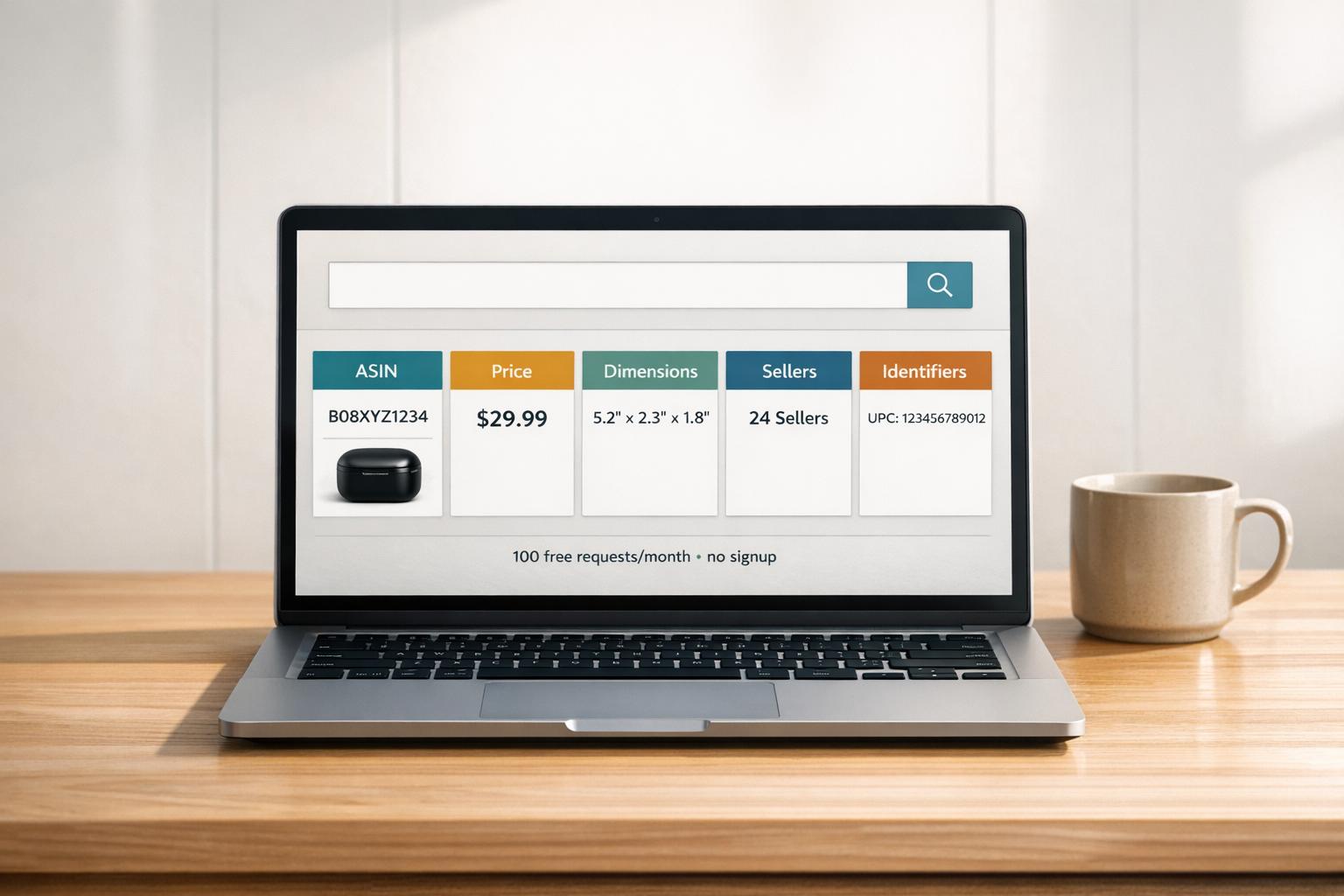
The ASIN Lookup Tool by Canopy API is a free, easy-to-use resource for retrieving detailed Amazon product data. Simply paste an Amazon product URL, and the tool provides key information like pricing, dimensions, seller count, and product identifiers (e.g., ASIN, UPC, EAN). It caters to e-commerce sellers for product research and developers as a preview of Canopy API's capabilities.
Key Features:
- Instant Data Retrieval: Paste an Amazon URL; get product details in seconds.
- Output Includes:
- Identifiers: ASIN, UPC, EAN, ISBN
- Pricing: Current price, Buy Box price
- Logistics: Dimensions, weight, FBA fees
- Market Insights: Seller count, sales rank
- Variations: All related child ASINs
- Free to Use: No sign-up required, with 100 free requests per month.
- Developer-Friendly: Preview data for API integration via REST or GraphQL.
This tool is ideal for small-scale testing, catalog validation, and exploring Amazon’s product data. For more in-depth analysis, try our Amazon product data analyzer. Try it now at canopyapi.co/tools/asin-lookup.
Understanding Amazon ASINs
What is an ASIN?
An ASIN, or Amazon Standard Identification Number, is a unique 10-character alphanumeric code that Amazon assigns to every product sold on its platform. For non-book items, ASINs typically start with "B0", like B07FZ8S74R. However, for books, the ASIN matches the 10-digit ISBN of the title.
This 10-character format wasn't chosen randomly. Back in 1996, Amazon software engineer Rebecca Allen explained that it was designed to align with existing 10-digit ISBN fields in databases.
Amazon also uses Parent ASINs and Child ASINs to organize its catalog. A Parent ASIN groups together related product variations (like a shirt available in different sizes or colors), while each Child ASIN represents a specific version of the product that customers can purchase.
Grasping the basics of ASINs is crucial for understanding their role in Amazon's e-commerce ecosystem.
Why ASINs Matter for E-Commerce
ASINs are more than just product codes - they tie together crucial product details such as the title, images, reviews, pricing, and even Buy Box eligibility. If an ASIN is incorrect, these connections can break, leading to issues with product visibility and data accuracy.
For businesses managing extensive product catalogs, ASINs are indispensable. They act as the primary key when integrating Amazon sales or advertising data with external analytics tools. Additionally, ASINs help maintain order in Amazon's catalog by preventing duplicate listings. Creating two ASINs for the same product violates Amazon's policies and could lead to account suspension. To avoid this, it's a good idea to search Amazon’s catalog using a UPC or EAN before setting up a new listing to check if an ASIN already exists.
It’s also important to note that ASINs are marketplace-specific. A product sold on amazon.com will have a different ASIN than the same product sold on amazon.de. This distinction is critical for managing cross-border inventory effectively.
sbb-itb-d082ab0
Key Features of the Free ASIN Lookup Tool
What the Tool Does
The Free ASIN Lookup Tool, available at canopyapi.co/tools/asin-lookup, is designed to deliver detailed product information from any Amazon product URL in seconds. All you need to do is paste an Amazon URL, and the tool generates a concise product overview immediately. Whether you're verifying a product listing, confirming that an ASIN pulls the correct data (or using an Amazon ASIN Validator for bulk checks), or simply exploring the capabilities of the Canopy API, this tool provides quick and easy access to live Amazon data.
Output Fields: What You Get Back
Here’s a breakdown of the key data fields the tool provides:
| Data Category | Fields Returned |
|---|---|
| Identifiers | ASIN, UPC, EAN, GTIN, ISBN |
| Product Basics | Title, Brand, Category, Main Image URL |
| Pricing & Offers | Current Price, Buy Box Price, Seller Count |
| Performance Metrics | Sales Rank (BSR), Average Star Rating, Total Ratings Count |
| Logistics | Product Dimensions, Item Weight |
| Variations | All related child ASINs (size, color, etc.) |
The identifier fields - such as UPC, EAN, GTIN, and ISBN - are especially useful for cross-referencing internal catalogs. The Best Sellers Rank (BSR) offers insights into product performance, while the variations list provides details on all associated child ASINs, covering options like size and color.
Additionally, the data provided by this tool aligns closely with the fields available in the full Canopy API. Developers working with properties like mainImageUrl, ratingsTotal, and price.display will find the output seamlessly integrates into production workflows.
How to Use the ASIN Lookup Tool
Entering an Amazon URL
Start by visiting canopyapi.co/tools/asin-lookup and paste an Amazon product URL into the tool. No registration or payment is required.
Every Amazon URL contains an ASIN (Amazon Standard Identification Number) right after the /dp/ part of the link (e.g., www.amazon.com/product-name/dp/B07HZHCDQG). The tool automatically identifies and extracts the ASIN, so you don’t need to do it manually. If you only have a UPC or EAN instead of an ASIN, use the provided converter tool to transform it into an ASIN before continuing. This straightforward process gets you started quickly on reviewing product data.
Running the Lookup
Once you paste the URL and hit submit, the tool extracts the ASIN and pulls live data directly from Amazon. It taps into reliable API endpoints, offering instant access to information from over 350 million products.
For developers, this functionality can also be accessed programmatically via REST or GraphQL endpoints. Essentially, the web tool acts as a visual interface for the same API call, making it a convenient way to preview results before diving into coding. With the retrieved data, you can immediately analyze key details like product identifiers, pricing, and market metrics.
Reading and Using the Output
After the lookup, the tool organizes the data into clear, actionable categories. Here’s what you’ll find:
- Identifiers: Details like UPC, EAN, and GTIN make it easy to cross-reference products with internal catalogs or external databases.
- Physical specifications: Dimensions and weight are useful for calculating FBA fees and shipping costs.
- Market insights: Sales rank and seller count provide a quick snapshot of demand and competition.
If the ASIN lookup doesn’t include a browse node in the output, it means the product isn’t indexed in Amazon’s search results. This can be a helpful clue when troubleshooting listing visibility issues. Similarly, sparse or unexpected data might indicate that the ASIN belongs to a non-buyable parent product or a suppressed listing. The tool flags these potential catalog problems, streamlining your product research process.
What You Can Do with the ASIN Lookup Tool
Catalog Management and Validation
This tool is a game-changer for keeping your product catalog accurate and organized. When managing large catalogs, even small errors - like incorrect dimensions or mismatched identifiers - can throw off FBA fee estimates or create inconsistencies in product records.
With this tool, you can ensure parent-child relationships in your catalog are structured correctly. It also cross-references product identifiers, making sure variations like size or color are properly linked, with no missing child ASINs.
"It's especially useful for operations and marketplace teams handling large SKU lists, where manual checking leads to missed issues and inconsistent catalog data." – Thunderbit
By streamlining catalog management, this tool lays a solid foundation for testing Amazon product data effectively.
Testing Amazon Product Data
Once your catalog is validated, the tool allows developers to dive into live Amazon product data. Without needing to write a single line of code, you can inspect key details like titles, brands, categories, prices, and sales rank in real time. You can even estimate monthly sales based on that rank to gauge market potential. This is especially useful before committing to full API integration.
The free Hobby plan includes 100 requests per month, giving you a chance to confirm that the data works for your needs. When you're ready to scale up, the Pay As You Go plan offers flexibility at just $0.01 per additional request. It’s a low-risk way to ensure your data strategy is on point.
Usage Limits and Access
How Daily Rate Limits Work
The ASIN Lookup Tool operates within a demo environment that includes rate limits to maintain smooth functionality. These limits are in place to prevent overuse or abuse and to ensure the tool remains responsive for everyone.
"An API rate limit is a restriction that controls the number of requests that can be made to a particular service within a certain period... to ensure that the service is not overwhelmed." – asinzen Customer Support
If you exceed the limit, you'll get an error message letting you know the rate limit has been reached. The solution is simple: wait until the cooldown period ends before continuing. Trying to bypass these limits by creating multiple accounts violates the Terms of Service and may result in losing access permanently.
This setup ensures a controlled environment and leads into the next section, which explains the details of free access.
Free Access and What You Can Test
The tool is completely free to use - no sign-up or credit card required. It’s perfect for small-scale testing or manual spot-checking rather than handling large datasets. Picture it as a sandbox: a safe way to explore the data Canopy API provides without any financial commitment.
With a free Canopy API account, you’re automatically on the Hobby plan, which includes 100 requests per month. That’s plenty for validating product details like titles, categories, dimensions, and identifiers across a decent sample of ASINs. If you need more, the Pay As You Go plan ensures costs stay manageable at $0.01 per extra request.
"This playground is intended exclusively for evaluating and testing the API's functionality. It must not be used for production, commercial, or any other non-testing purposes." – Canopy API Terms of Service
Once you’ve explored the tool and its capabilities, you’ll be ready to integrate Canopy API into larger workflows or production-level setups.
Using the ASIN Lookup Tool with Canopy API
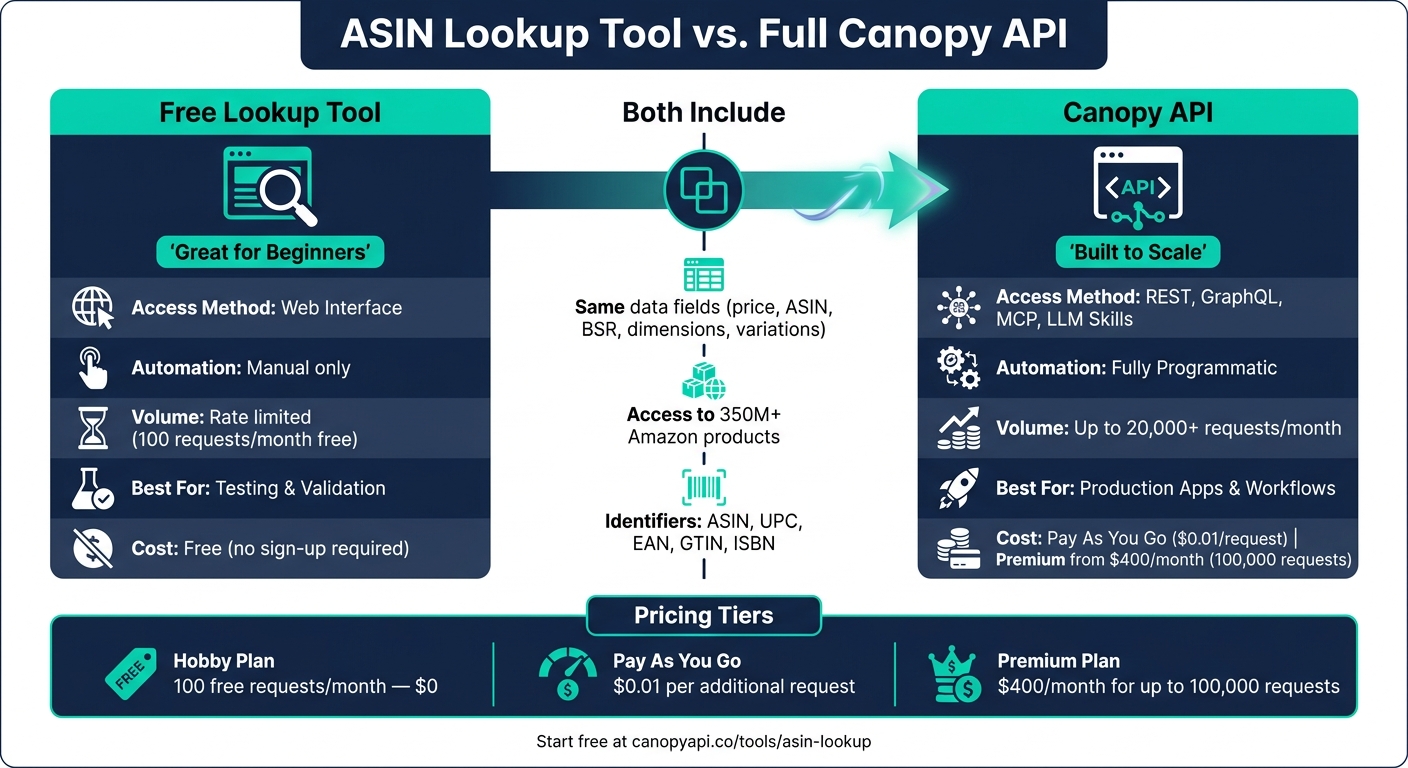
ASIN Lookup Tool vs. Full Canopy API: Features & Pricing Compared
Fitting the Tool into Larger Data Workflows
The ASIN Lookup Tool isn't just about quick product insights - it’s a stepping stone for creating scalable, automated workflows using the Canopy API. The tool's output aligns with the amazonProduct query structure of the Canopy API, making it perfect for testing automation setups. This means you can confirm the data structure works for your needs before diving into larger projects like a pricing tracker, catalog validation script, or AI-driven research system. Instead of just listing the data available, the tool lets you experience its scope directly.
Once you've manually validated the data, you can smoothly transition to a fully automated API integration.
Moving to Full API Integration
Use the insights from your ASIN lookups to fuel production-level workflows. Start by signing up for a Canopy API account, grabbing your API key from the dashboard, and deciding on your integration method. You can choose between:
- REST for straightforward GET requests
- GraphQL for precise, field-specific queries
- MCP and LLM Skills for AI-driven workflows like pricing adjustments or review analysis
Security note: Always keep your API key secure by handling it on the backend. Exposing it in client-side code could lead to security risks.
Here’s the REST endpoint:
GET https://rest.canopyapi.co/api/amazon/product
Header: API-KEY: your_api_key_here
For GraphQL, use the endpoint https://graphql.canopyapi.co/ to request only the fields you need, such as price.display or mainImageUrl. This approach keeps your payloads smaller and boosts performance. You can explore all available queries and fields using the interactive GraphQL playground at graphql.canopyapi.co.
The ASINs you validated with the lookup tool can be directly reused for these automated workflows, saving you time and effort.
Comparison: ASIN Lookup vs. Full Canopy API
| Feature | ASIN Lookup Tool | Full Canopy API |
|---|---|---|
| Access Method | Web interface | REST, GraphQL, MCP, LLM Skills |
| Automation | Manual | Fully programmatic |
| Volume | Rate limited | Up to 20,000+ requests/month |
| Best For | Testing & validation | Production apps & workflows |
This seamless integration paves the way for building advanced, production-ready applications.
Conclusion: Getting Started with the ASIN Lookup Tool
The ASIN Lookup Tool offers a straightforward way to dive into Amazon product data without any upfront commitment. With features like product titles, pricing, seller counts, and FBA fee estimates, it provides real, actionable insights - all without requiring registration or payment. It’s a hassle-free way to get a feel for Amazon’s data landscape.
This tool fits neatly into Amazon Product API use cases. You can start with simple manual lookups to identify the data fields you need and later incorporate these queries into automated processes. The free Hobby plan is a great entry point, and you can upgrade as your needs grow.
For scaling, here’s a quick breakdown of the plans:
- Hobby Plan: 100 free requests per month.
- Pay As You Go: $0.01 per additional request.
- Premium Plan: Starting at $400/month for up to 100,000 requests.
Ready to see it in action? Head to canopyapi.co/tools/asin-lookup, paste an Amazon product URL, and instantly access live product data. It’s a simple way to start leveraging Amazon’s data today.
FAQs
Does this tool work for any Amazon marketplace?
Yes, the tool works across various Amazon marketplaces, such as the United States (.com) and the United Kingdom (.co.uk). It enables you to perform ASIN lookups on these platforms and more.
Why is some product data missing or blank?
When product data appears missing or blank, it could be because the ASIN has been removed from the detail page or is search-suppressed. This often happens due to issues like listing quality concerns or intellectual property claims, which can render the product unsearchable or prevent it from being indexed.
Can I use the lookup results in my app automatically?
Absolutely! The Canopy API allows you to pull real-time Amazon product data directly into your application. Using either REST or GraphQL APIs, you can retrieve this data effortlessly, making it ideal for automated processes within your app.