Changelog: Releasing Free Amazon Tools
Use free browser tools to pull real-time Amazon product, price, review, and keyword data with 100 monthly requests.
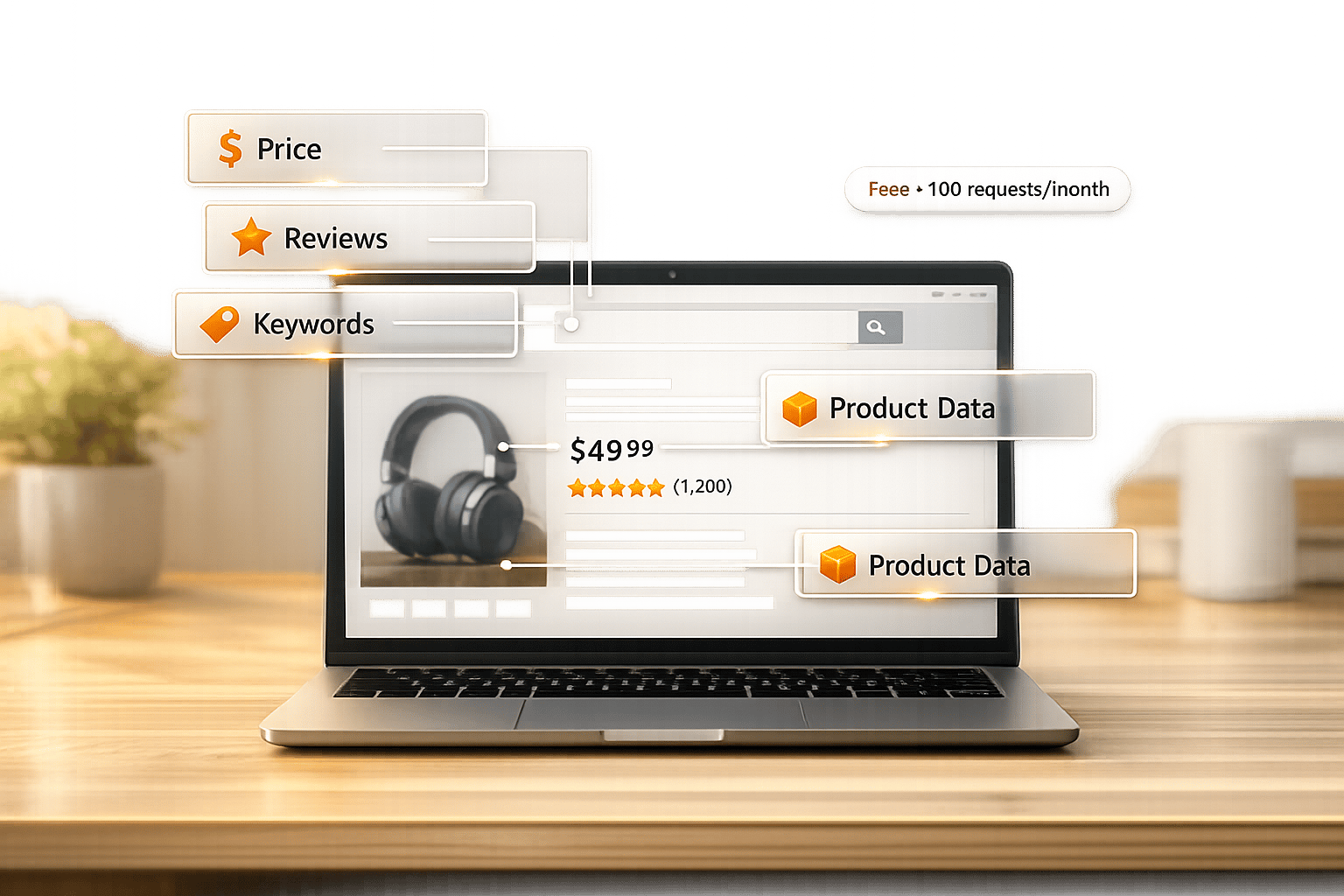
Access Amazon Data for Free: Canopy API now offers free tools to help you retrieve real-time Amazon data without API integration. These tools are perfect for e-commerce sellers, developers, and researchers looking to validate product ideas, analyze competition, or test Amazon data quality.
Key Features:
- Free Access: Hobby plan includes 100 requests/month.
- Core Tools:
- Product Detail Lookup: Fetch product titles, prices, images, and stock.
- Search Results Explorer: View live search rankings and competitor data.
- Price & Sales Estimator: Get pricing, sales estimates, and deal insights.
- Review & Ratings Analyzer: Analyze ratings and customer feedback.
- Keyword & Listing Insights: Identify high-value keywords for SEO.
- Flexible Paid Plans: $0.01/request after 100 free requests or premium options starting at $400/month.
How It Works: Enter keywords, ASINs, or URLs into the tools for instant data retrieval. For advanced needs, integrate directly with REST or GraphQL APIs.
Limitations: Free tools have a 100-request cap and focus on single lookups. Bulk processing and historical data require API integration.
Explore the tools at canopyapi.co/tools to streamline your Amazon data research.
How the Tools Work and Usage Guidelines
General Functionality and Workflow
The tools available on the Canopy API Tools page are designed to be straightforward. You simply input a product identifier - this could be an ASIN, an Amazon product URL, or even a keyword - into the user-friendly interface. This allows you to fetch Amazon search results instantly. From there, the tool fetches data directly from Canopy API's endpoints. It communicates with either the REST API (GET request to https://rest.canopyapi.co/api/amazon/product) or the GraphQL API (POST request to https://graphql.canopyapi.co/). Authentication is handled via an API key, included as either an API-KEY or Authorization: Bearer header.
For developers looking to dig deeper, the GraphQL playground at graphql.canopyapi.co offers a space to experiment with additional queries. Keep in mind the importance of reviewing rate limits, as they help maintain stable usage for all users.
Daily Rate Limits and Intended Use
With the free Hobby plan, users are allowed up to 100 requests per month. These tools are perfect for light usage, such as validating a product idea, quickly checking listing details, or testing API responses before committing to a full-scale integration. If you need more than 100 requests, the Pay As You Go plan charges $0.01 per additional request, with no base monthly fee. This flexibility ensures you only pay for what you use.
U.S.-Specific Data and Formats
The data retrieved is tailored for Amazon.com, formatted using U.S. standards. This includes prices in USD, dates in the MM/DD/YYYY format, imperial units for measurements, and standard U.S. numeric formatting. This makes the output ready to use for U.S.-based sellers and developers without any additional adjustments.
The next sections will dive into the specific tools available at https://www.canopyapi.co/tools and how developers can integrate them effectively.
sbb-itb-d082ab0
Free Amazon Tools Roundup
Here’s a breakdown of the tools available on our tools page, along with what they can do for you. Each tool is explained below, highlighting its main functions and ideal use cases.
Product Detail Lookup Tool
This tool pulls live product data from Amazon for any item using an ASIN or product URL. It provides details like the title, description, price, high-resolution images, ratings, and stock availability. It’s perfect for checking the accuracy of listings, ensuring page details are complete, and keeping tabs on inventory. If you’re working on a product catalog or building a price-monitoring app, this tool is a great place to start.
Amazon Search Results Explorer
Using this tool, you can enter a keyword and get a live snapshot of Amazon’s search results. It shows ranked listings, prices, ratings, and ASINs, making it invaluable for competitive analysis. Whether you’re a seller tracking keywords or a developer exploring niches, this tool provides the insights you need.
Price and Sales Estimator
This tool reveals current prices, list prices, savings percentages, deal badges, and even estimated sales volumes. It’s a helpful resource for early product validation and margin analysis, giving you a clear view of demand and pricing trends before you invest in inventory.
Review and Ratings Analyzer
With this tool, you can access average star ratings, total review counts, and even dive into the content of reviews. It’s perfect for spotting recurring themes, like frequent complaints about packaging or consistent praise for a specific feature. These insights can help you fine-tune your product listings by improving descriptions and bullet points.
Keyword and Listing Insights Tool
This tool pinpoints high-value keywords in product listings, helping boost search visibility. Whether you’re looking to optimize your own listings or identify which search terms drive traffic to competitors, it’s a great way to uncover opportunities and improve your product’s ranking.
| Tool | Key Data Points | Best For |
|---|---|---|
| Product Detail Lookup | Title, price, images, stock | Listing validation, quality checks |
| Search Results Explorer | Live rankings, ASINs, competitor prices | Market analysis, keyword research |
| Price & Sales Estimator | Sales volume, deal badges, savings % | Margin checks, demand forecasting |
| Review & Ratings Analyzer | Star ratings, review themes | Listing optimization |
| Keyword & Listing Insights | Search volume, keyword relevance | Keyword discovery, SEO improvement |
Data Access and Developer Integration
The free tools available on the Canopy API tools page are more than just user-friendly interfaces - they're fully functional front ends built directly on Canopy API's core endpoints. Every action you perform in the browser mirrors a real API call, making it easier to jump from testing to full integration in your code.
Mapping Tools to Canopy API Endpoints
To simplify your integration process, the table below outlines which API endpoint powers each tool. This eliminates any guesswork when transitioning from the user interface to your own application.
| Free Tool | REST Endpoint | GraphQL Query |
|---|---|---|
| Product Detail Lookup | /api/amazon/product |
product |
| Search Results Explorer | /api/amazon/search |
search |
| Price & Sales Estimator | /api/amazon/offers (OffersV2) |
product (estimations) |
| Review & Ratings Analyzer | /api/amazon/reviews |
reviews |
| Keyword & Listing Insights | /api/amazon/bestsellers |
search / keywords |
Each tool acts as a live demonstration of a specific API workflow. For instance, a product research process might involve multiple steps: starting with a search query, extracting ASINs from the results, and then using the product and reviews endpoints to enrich the data with ratings and listing insights.
Developer Integration and Output Formats
With the endpoint mappings in mind, integrating these workflows into your application is straightforward. Canopy API supports both REST and GraphQL interfaces, accessible at https://rest.canopyapi.co/ and https://graphql.canopyapi.co/.
- REST: This is the simpler option. A standard GET request, paired with your
API-KEYin the header, returns a JSON response immediately. - GraphQL: This is ideal when you only need specific fields. By defining your query, you can avoid receiving unnecessary data, making your responses more efficient.
According to Postman's 2023 State of the API report, 51% of developers use both REST and GraphQL in their organizations. By supporting both interfaces, Canopy API ensures compatibility with most integration setups. If you're new to GraphQL, you can explore the schema and test live queries using the interactive GraphQL playground at graphql.canopyapi.co - all before writing a single line of production code.
Benefits and Limitations
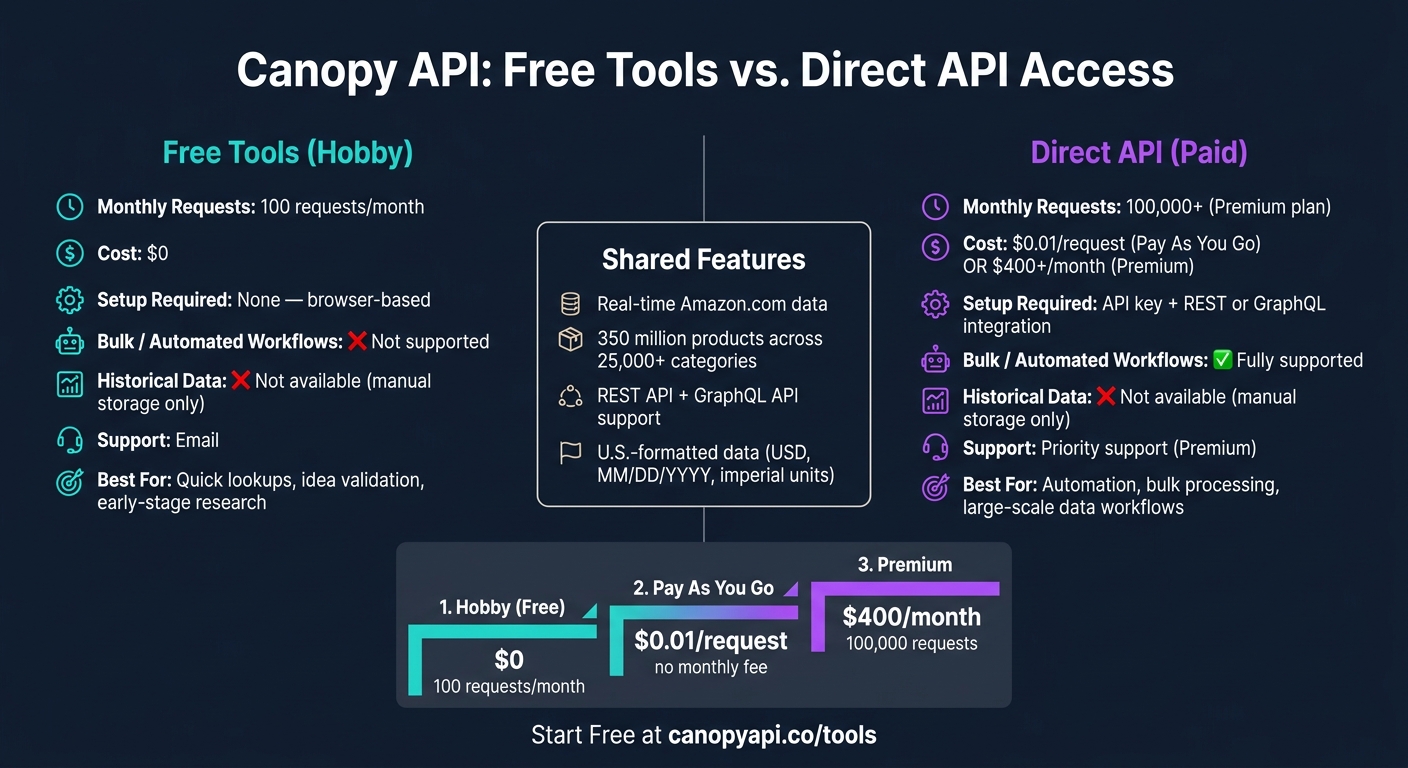
Canopy API Free Tools vs. Paid API Plans: Features & Pricing Compared
Key Benefits
Getting started is as simple as it gets - just open your browser, head over to canopyapi.co/tools, and you're ready to access live Amazon.com data instantly. This makes it perfect for quick product research or testing out a business idea without any setup hassle.
What makes this even better is the real-time data it provides. You'll get up-to-the-minute pricing, live stock updates, and the latest deals directly from Amazon. The system is powered by a massive database that spans 350 million products across 25,000+ categories. And if you're just starting out, the free Hobby plan gives you 100 monthly requests at no cost.
While these features are great for immediate access, there are some tradeoffs worth considering.
Limitations and Tradeoffs
The biggest limitation? The 100-request monthly cap. While it works well for one-off research, it falls short for ongoing monitoring or larger projects. If you need more, you'll have to switch to the Pay As You Go plan ($0.01 per request after the first 100) or jump to the Premium plan, which starts at $400 per month for 100,000 requests.
Another drawback is that these tools are designed for single lookups. If you want to handle bulk data - like processing a spreadsheet with 500 ASINs - you'll need to integrate directly with the API using REST or GraphQL. Additionally, the tools only provide current data. They don’t track price history, so if historical trends are important, you’ll need to store and manage that data yourself.
| Feature | Free Tools (Hobby) | Direct API (Paid) |
|---|---|---|
| Monthly Request Limit | 100 requests | 100,000+ (Premium) |
| Setup Required | None | API key & integration |
| Bulk / Automated Workflows | ❌ | ✅ |
| Historical Data | ❌ (store manually) | ❌ (store manually) |
| Support | Priority (Premium) | |
| Cost | $0 | $0.01 per request or $400+/month |
These free tools are great for validating ideas quickly. But as your needs grow - whether it’s higher request volumes, automation, or full-scale integration - you’ll want to consider upgrading to direct API access for a smoother workflow.
Conclusion: Start Using the Free Amazon Tools
The free Amazon tools available at canopyapi.co/tools provide an easy way to access real-time data directly from your browser. Whether you're looking for product details, pricing, reviews, search rankings, or sales estimates, these tools are designed to deliver quick results, making them ideal for early-stage research and fast lookups.
If your needs are small, the Hobby plan offers 100 free monthly requests, which is perfect for limited usage. For larger-scale projects, you can upgrade to pay-per-request or Premium plans for greater access and flexibility.
These tools are a great starting point, allowing you to transition seamlessly from quick research to full integration with Canopy API. This makes it easier to scale your efforts into a fully automated, data-driven workflow.
Check out canopyapi.co/tools today to experience live Amazon data at your fingertips.
FAQs
Do I need an API key to use the free tools?
No, you don’t need an API key to use the free tools built with Canopy API. These tools are open for anyone to use without requiring authentication. However, keep in mind that there are daily rate limits in place to ensure fair usage and prevent abuse.
What counts as a request toward the 100/month limit?
When you use an API to fetch data - whether it's product details, pricing, reviews, or search results - each of those actions counts as a single request. These requests are tracked and apply to the 100-per-month limit.
Can I run bulk ASIN lookups or automate these tools?
You can streamline bulk ASIN lookups and other tasks using the Canopy API. It’s designed for efficiency, offering real-time data retrieval and the ability to process multiple ASINs in a single request. This makes managing large datasets faster and more convenient.